In the workshop
Plan tasks and people, see what is due, keep production files close and update the job as it moves.
Jobs and production →
Shop management software for sign companies
SignBas3 keeps enquiries, quotes, artwork, jobs, schedules, purchase orders, time and invoices together. Your team works from the same job instead of chasing the latest version across inboxes and spreadsheets.
Built in Melbourne around the day-to-day work of a sign company.
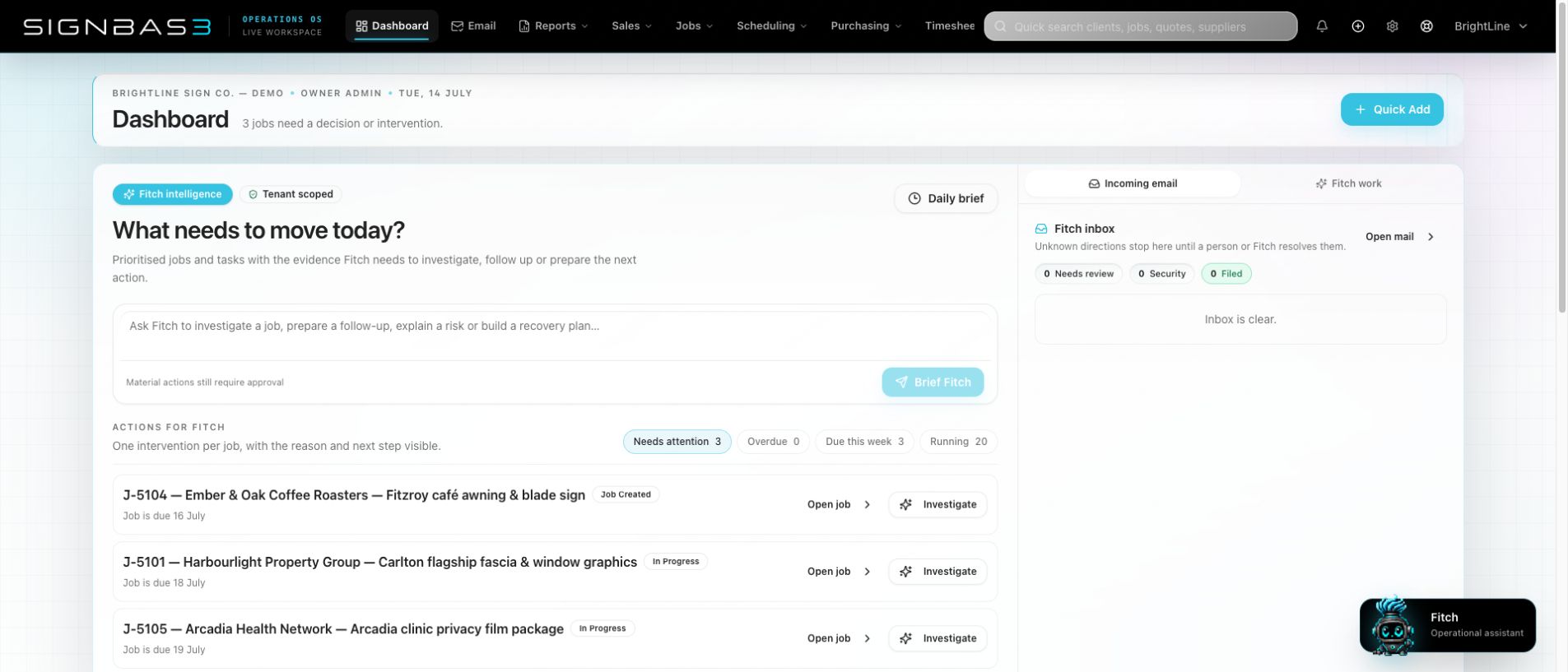
One job, all the way through
Sales starts it. Artwork, production, purchasing, installers and accounts keep adding to it. The job number, scope, files, dates, costs and decisions travel with the work.
Plan tasks and people, see what is due, keep production files close and update the job as it moves.
Jobs and production →Capture the enquiry, find the client, prepare the quote and keep every revision and acceptance on record.
Sales and quoting →Bring supplier spend, labour, invoicing and reporting together so the commercial result is visible before the job is over.
Costs and invoicing →Sales and job control
Quotes have a proper issue and acceptance history. When work becomes a job, the commercial trail remains available to production instead of being flattened into a disconnected job sheet.
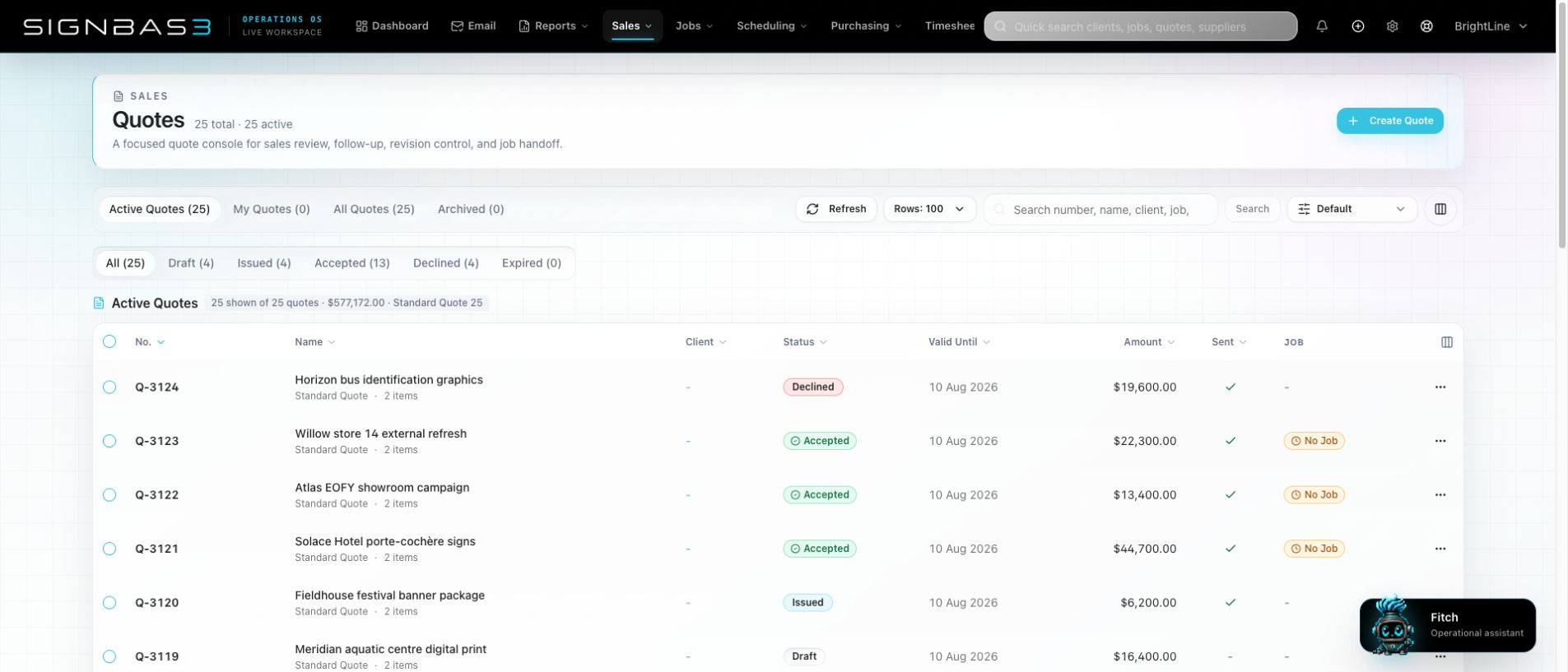
Quote calculator import
Upload a compatible SignBas3 pricing workbook. The quote builder brings in editable sell lines, job task hours, purchasing allowances and client details, then keeps the original workbook with the quote.
See how the import works →Review before issue. Nothing is sent or accepted just because it was imported.
Artwork approvals
Every proof keeps its place in the history. Clients can review the current PDF, comment on it, request changes or approve it. The response records the person, time and exact version.
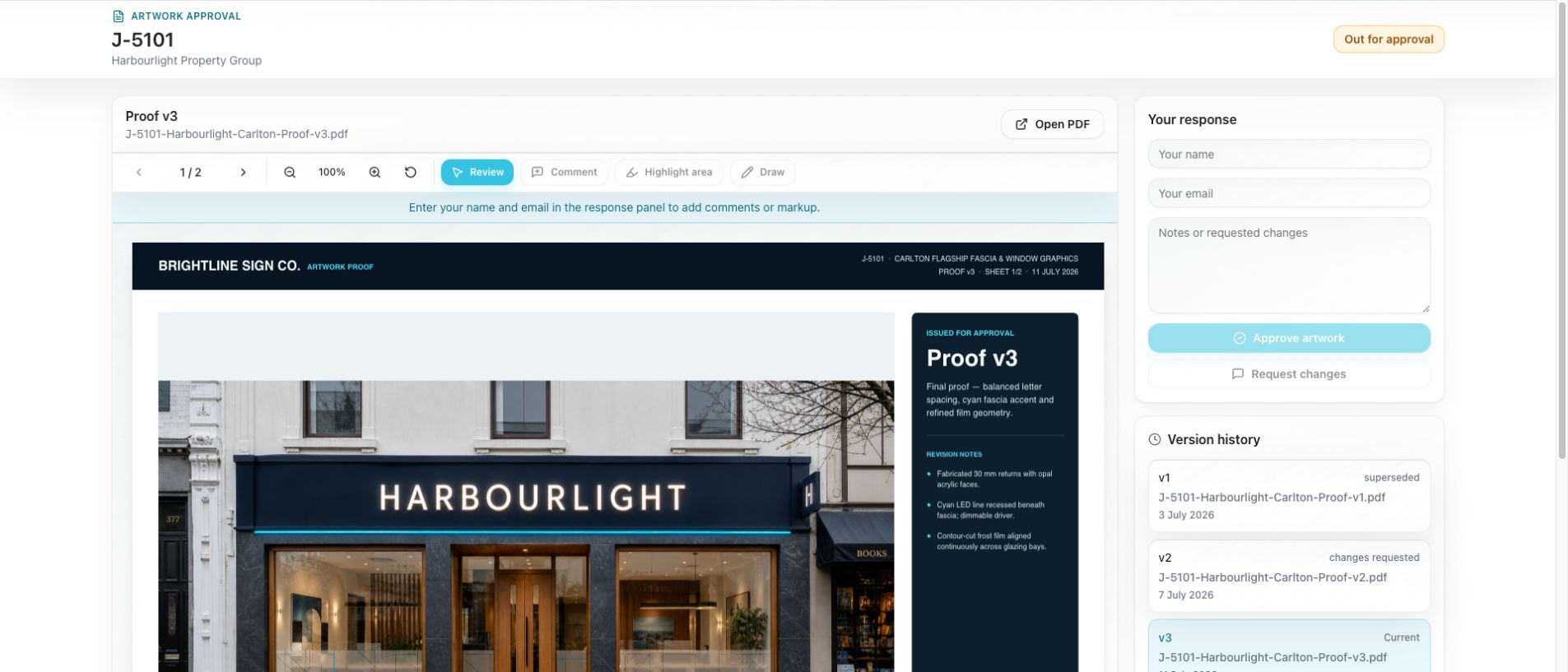
Zoom, comment, highlight and draw directly over the proof.
Superseded proofs and requested changes stay visible.
Production can see which version the client actually approved.
Fitch AI scheduler
Fitch starts with incomplete job tasks, existing bookings, staff capabilities and up to six months of actual timesheet history. It lays a proposed week over the live scheduler. Nothing is committed in the background.
Explore production scheduling →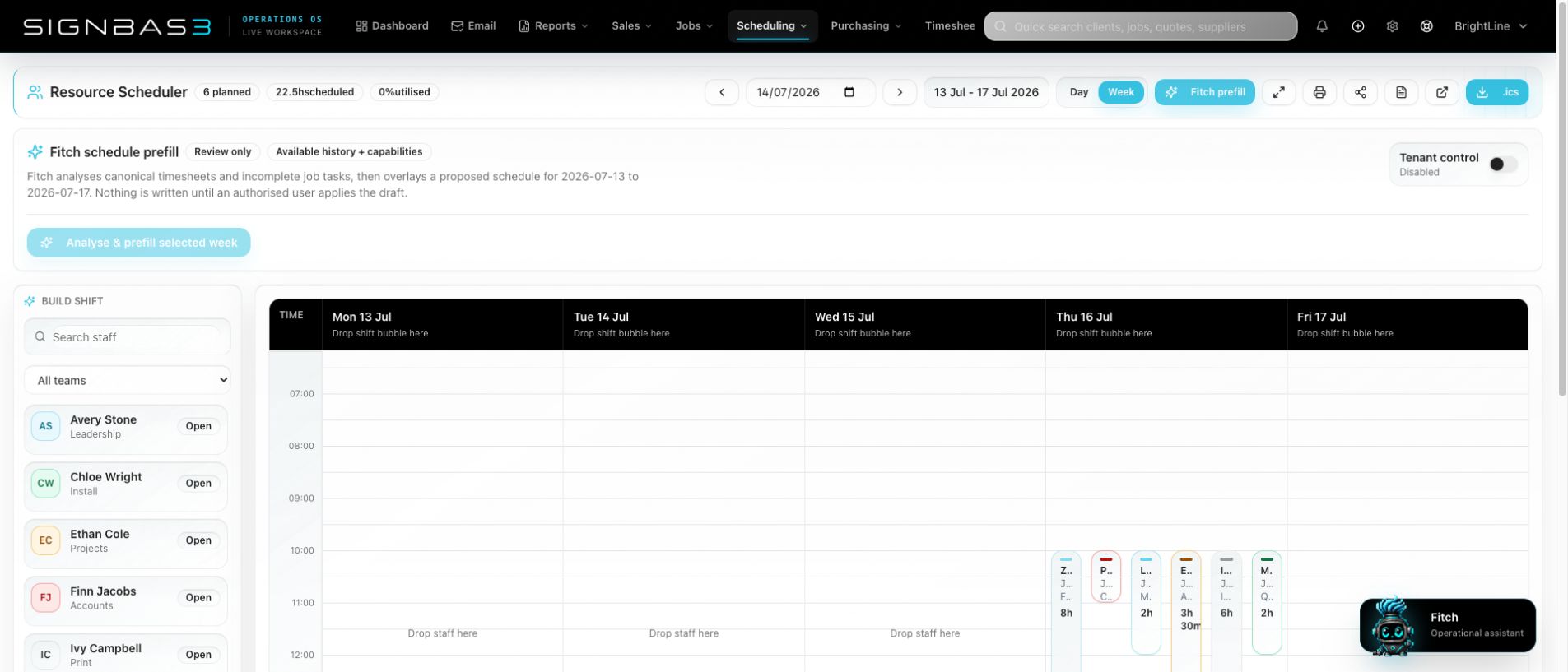
Fitch considers every eligible team member, protects existing assignments and prepares blocks in the open space.
Open each proposal to see the person, job, task, time, confidence and the reason behind the match.
An authorised administrator can apply the reviewed blocks or discard the proposal. The live data is checked again before anything is written.
Reporting
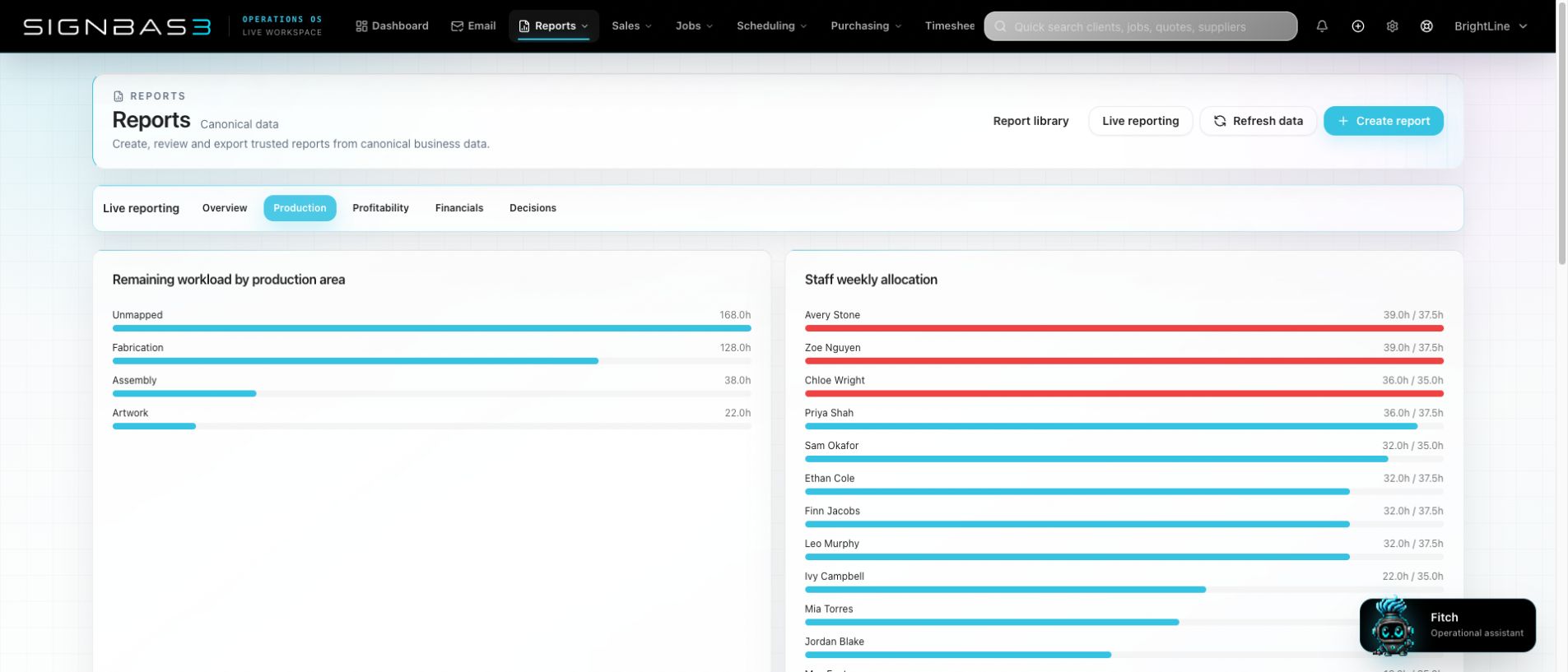
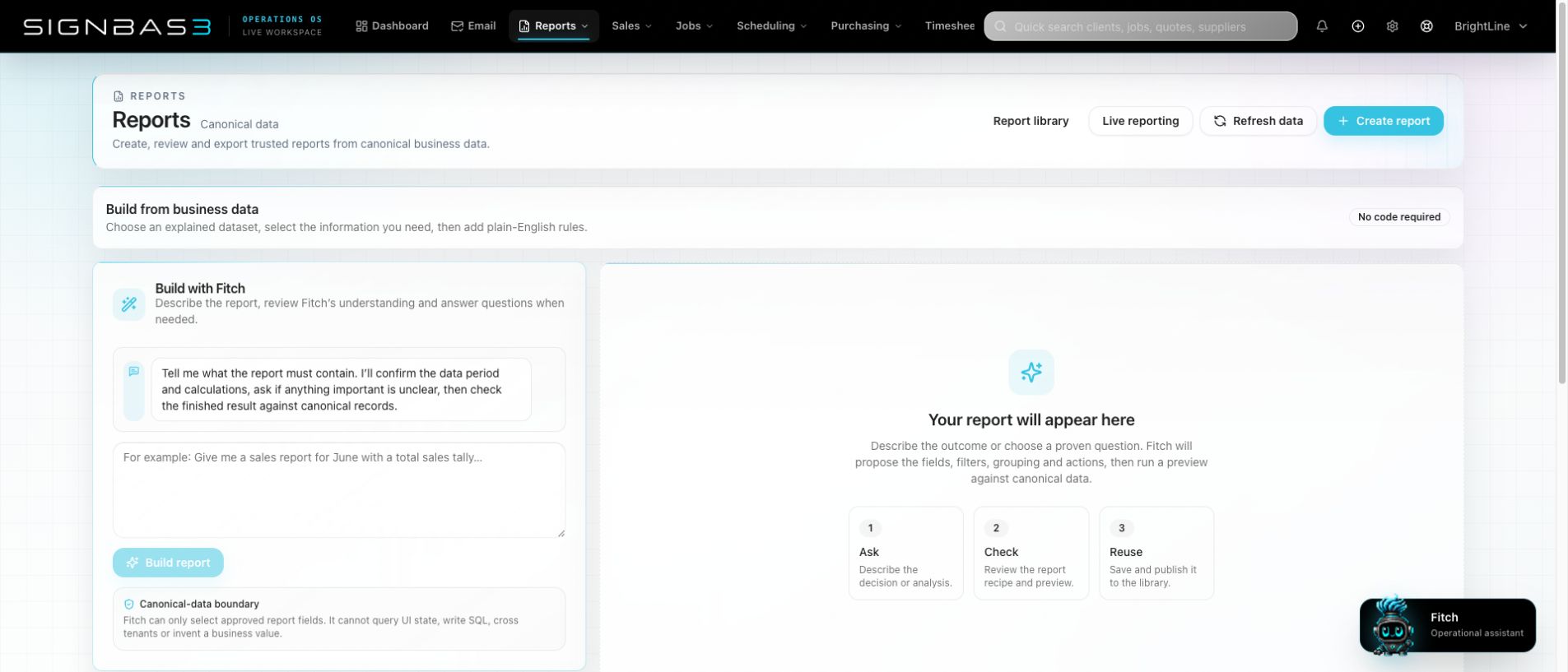
Use live production, workload, profitability, financial and exception views—or describe the report you need. SignBas3 checks the available records, builds multiple pages and shows the recipe before you rely on it.
Purchasing and costs
Purchase orders, suppliers, receipts and bills stay connected to the work. Receiving can happen close to the delivery, while accounts retains the authorisation and export trail.
Explore purchasing →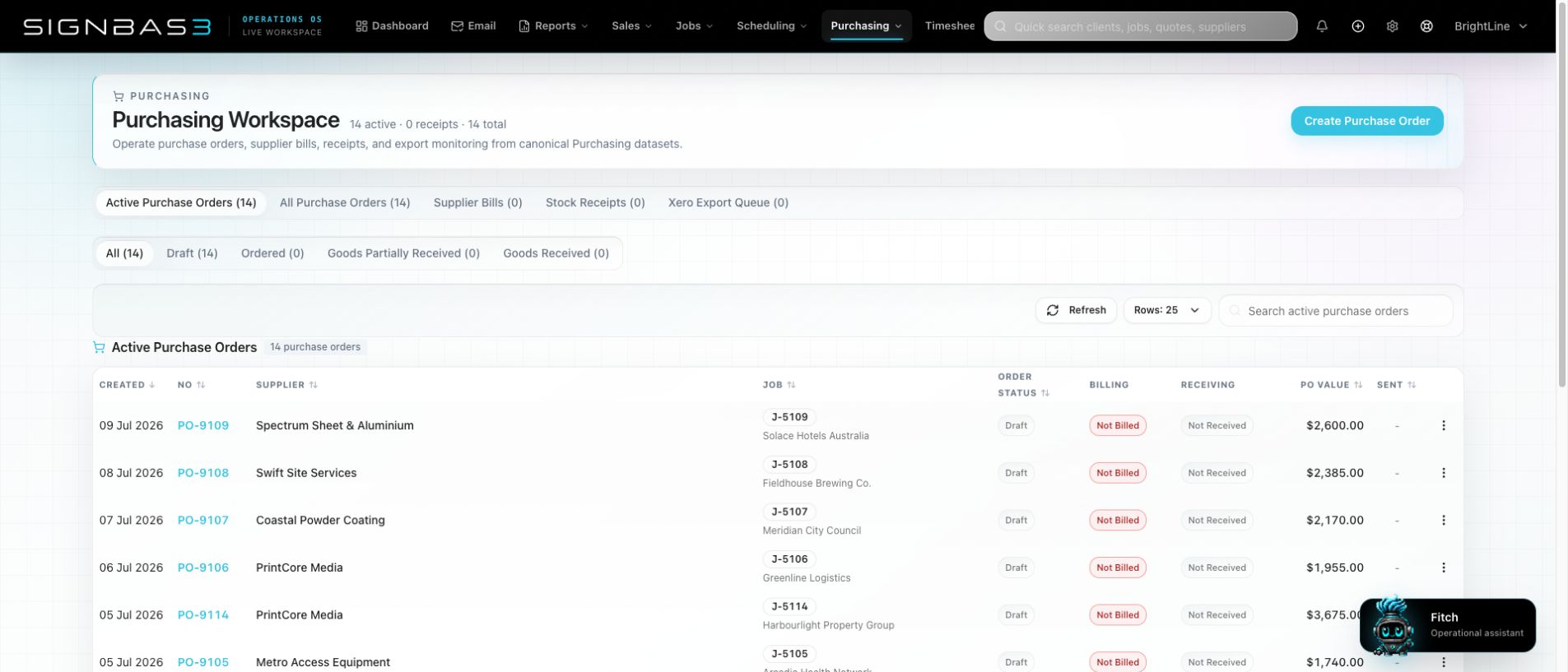
Invoicing
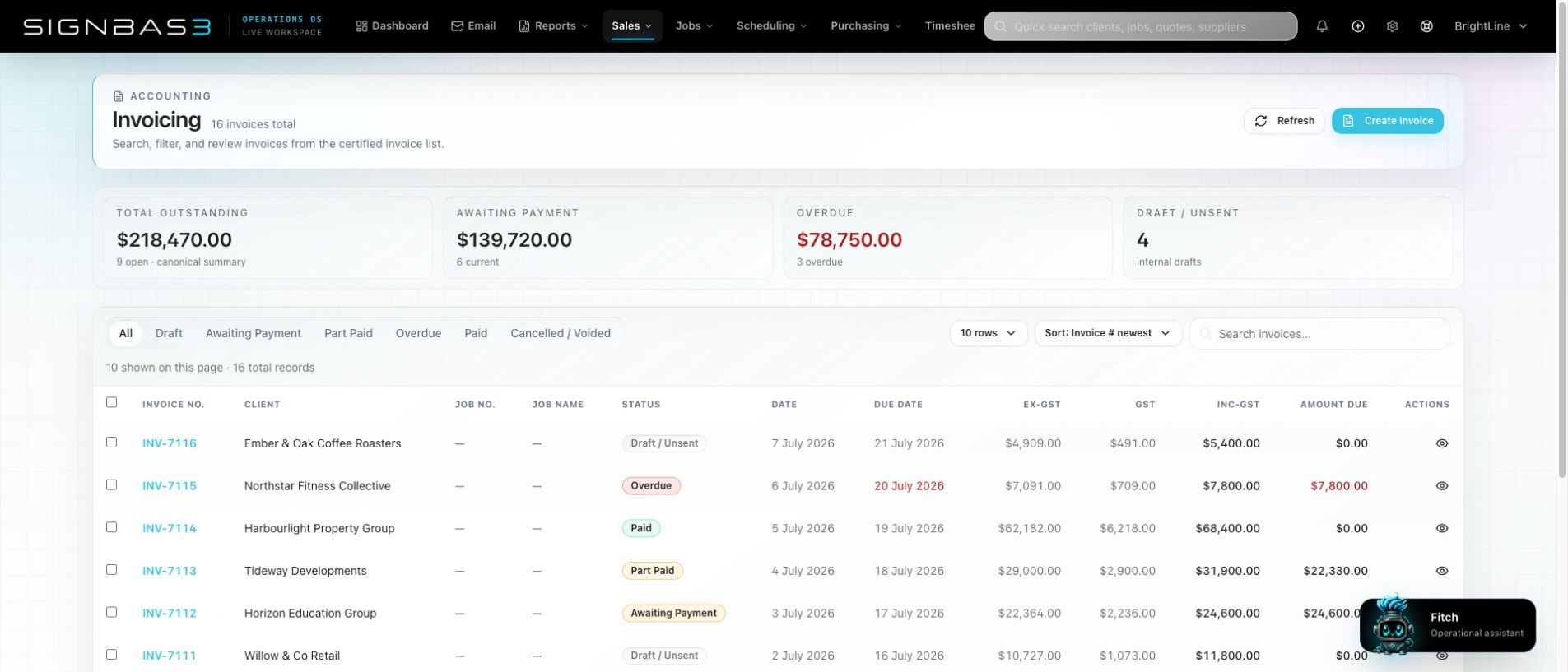
Draft, awaiting payment, part-paid, overdue and paid invoices are visible together, with totals that can be checked back to the canonical records.
Explore job financials →Full Xero integration

The useful accounting data already exists in the job. SignBas3 turns approved operational records into controlled Xero handoffs, then keeps the accounting state visible to the people running the work.
Set income and cost account codes, sales and purchase tax types, two tracking categories, earnings rates and payroll tracking.
Use SignBas3 or Xero numbering and send individual lines, job totals or phase subtotals in Draft or Approved state.
Finance owns the mappings and export settings. Operators can see queued, synced, failed and paid states without pretending SignBas3 is the ledger.
One clear boundary: SignBas3 runs sales, production, purchasing and job performance. Xero remains the accounting and payroll system.
Explore the Xero integration →Meet Fitch
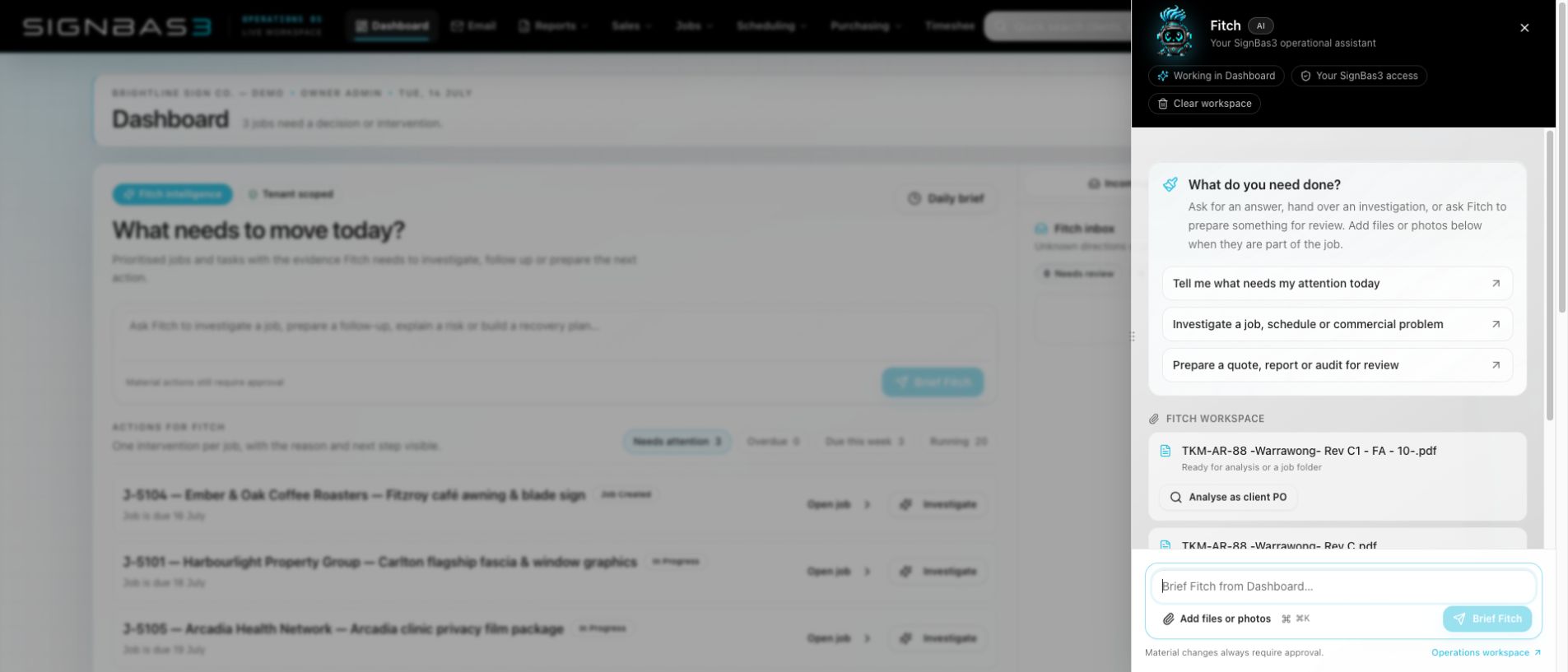
Fitch works inside SignBas3, with the access of the person asking. It can investigate a late job, sort incoming files, read a client PO, draft a report or prepare a schedule. When the next step changes a business record, you see it before it is applied.
Email that lands where the work is
Incoming job correspondence can be checked, classified and filed against the right job. Attachments go to the correct Google Drive folder; small signature images can be ignored; anything uncertain waits for review.
Each company has a tenant-owned inbox.
Spam, viruses, attachments and instructions are assessed.
Permits, artwork, POs and other files land in the right job folder.
Low-confidence or unknown directions stay in a human queue.
Lead intake review · job noticeboard correspondence · attachment type changes · tenant email branding · replies and forwarding
SignBas3 Mobile
Assigned jobs, site details, items, documents, photos and a straightforward weekly timesheet—without squeezing the office application onto a phone.
TUESDAY · 14 JULY
Designed for the whole shop
Owners, sales, project managers, production, installers and accounts each get the records and actions needed for their work. Permissions apply to Fitch as well as the application.
Moving from WorkflowMax?
SignBas3 has a guided import, user and status mapping, master task catalogue support, and reconciliation for clients, quotes, jobs, time, purchasing and financial relationships.
A useful trial needs useful work in it
Choose a job that touches sales, artwork, production and costs. We’ll configure the representative workflow, show the team how it moves and decide together what is worth testing next.