
Fitch workspace
Turn the enquiry into work you can review.
Bring your brief, files and questions into one Fitch workspace. Start with a quote, artwork, job plan or email draft, then keep the sources, conversation and saved work together as the project develops.
A clear place to start
Choose Prepare a quote, Create artwork, Plan a job or Draft an email. Add the brief and source files in the same place.
The work beside the conversation
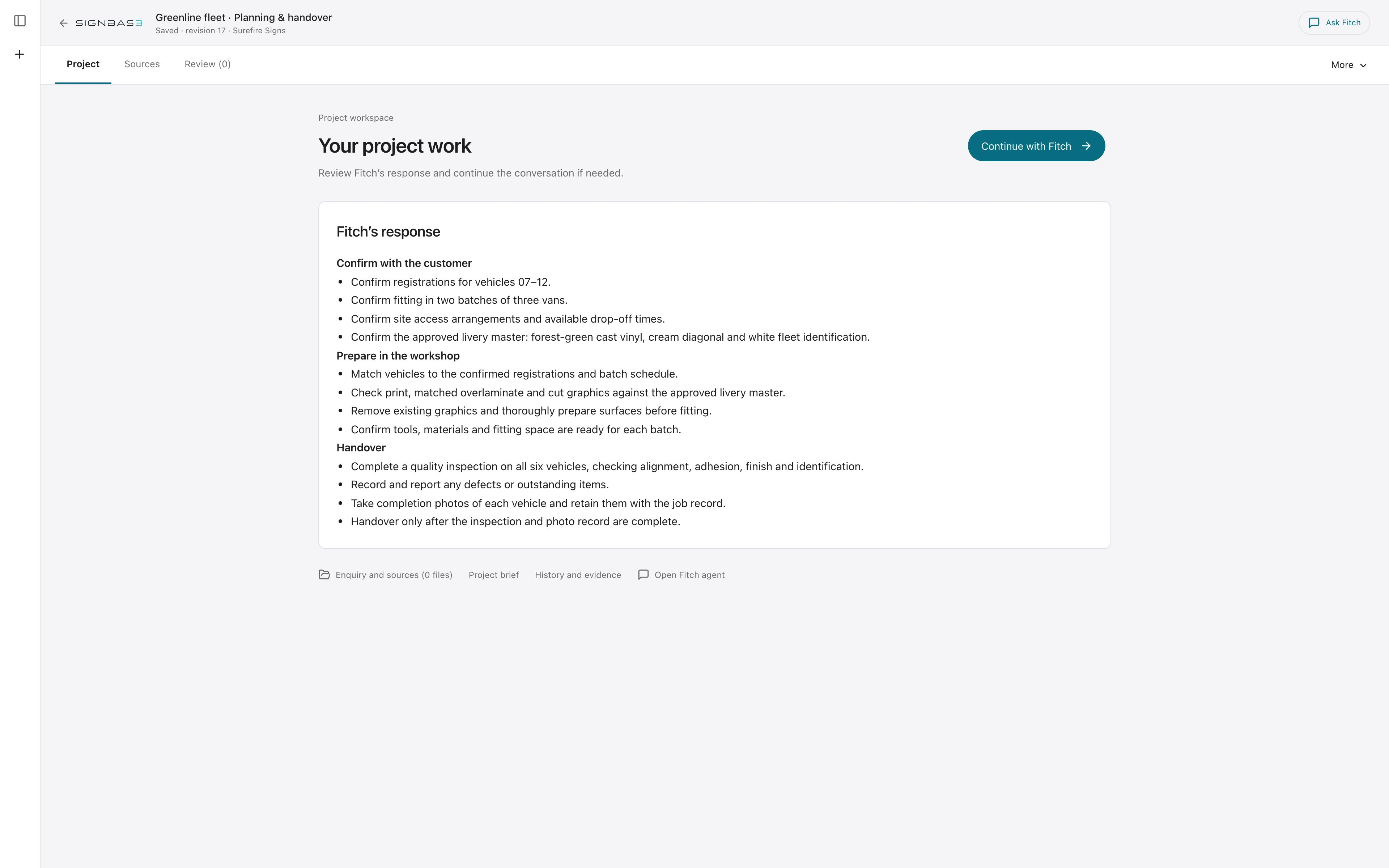
Review saved scope, sign quantities, dimensions, artwork previews and draft results while you refine the request with Fitch.
Your knowledge, carried forward
Keep project sources together and teach Fitch your organisation’s methods through the private review workflow.
A practical workflow
What it looks like in use.
- 01 · Choose the outcome
Pick the work you want to prepare and follow the guidance for that task.
- 02 · Bring the source material
Add the enquiry, supporting files and known requirements so the work starts with the right context.
- 03 · Review the saved work
Move between the project, Sources and Review. Inspect scope, questions and draft previews without losing the conversation.
- 04 · Take the next step
Refine the draft and review proposed business actions before they are applied. Return to the workspace as the brief changes.
A workspace you can return to
Keep the brief and the result together.
Open a recent project, check its sources and continue from the saved work. Hide the conversation for more room, or switch between Chat and Work on your phone.
Use your organisation’s reviewed methods and artwork standards to give the next draft the right starting point.
KEEP THE WORK MOVING