Sign shop management software

Your sign shop.
Working as one.

The quotes, people, production and numbers.
One system built around the way sign makers work.

From first enquiry to final invoice.

FABRICATION / WIDE-FORMAT PRINT / WAYFINDING / WRAPS / INSTALLATION

EXPLORE SIGNBAS3

Every part of the job.
In the same place.

Follow the work through SignBas3.
Choose an area to see it in action.

SB3 / 01

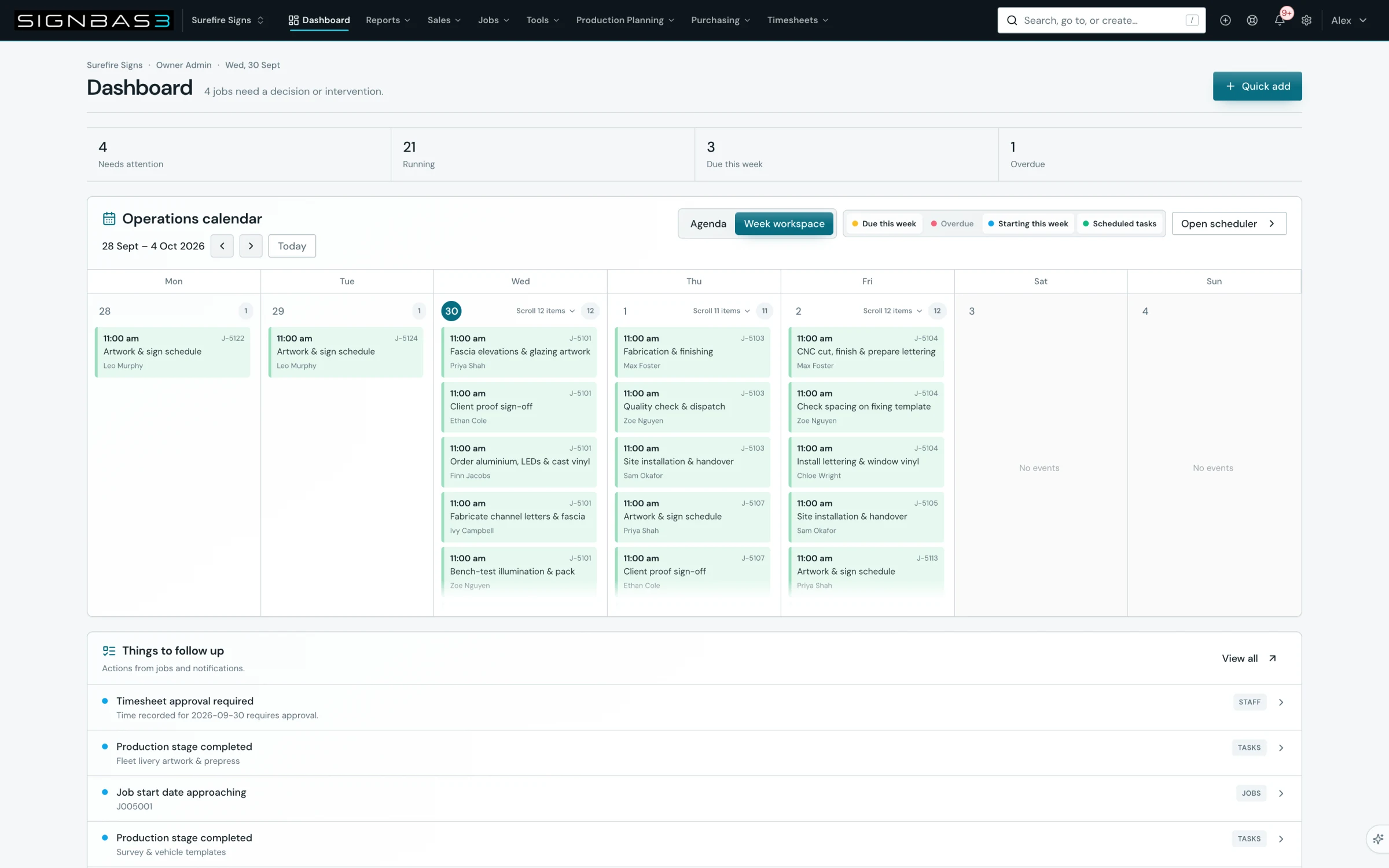
Know what needs you next.

See the jobs, deadlines and decisions that shape the day.

  • Live job status and responsibilities
  • Due dates, blockers and follow-ups
  • One record from enquiry to invoice
Explore job management
SignBas3 operational dashboard with job deadlines, follow-ups and print production
Surefire Signs / SignBas3View full screen

SB3 / 02

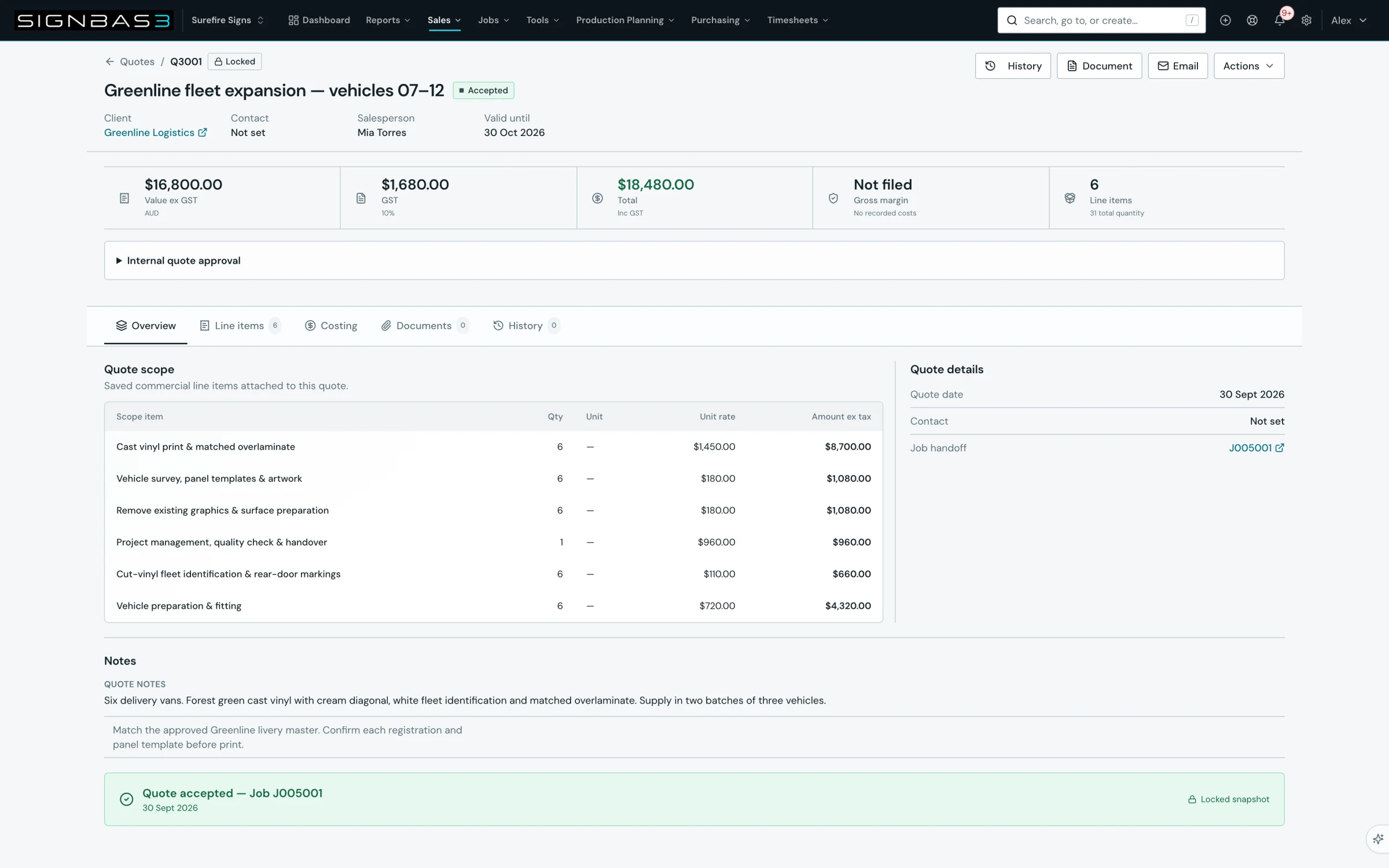
Price the whole job.

Price the work, let your customer accept the quote online, then carry the agreed scope into the job.

  • Leads, clients and quote versions
  • Microsoft ExcelMaterials, labour and pricing workbooks
  • Online quote acceptance linked to the job
Explore estimating
Surefire Signs accepted Greenline fleet quote with six priced scope items and its linked job
Surefire Signs / SignBas3View full screen

SB3 / 03

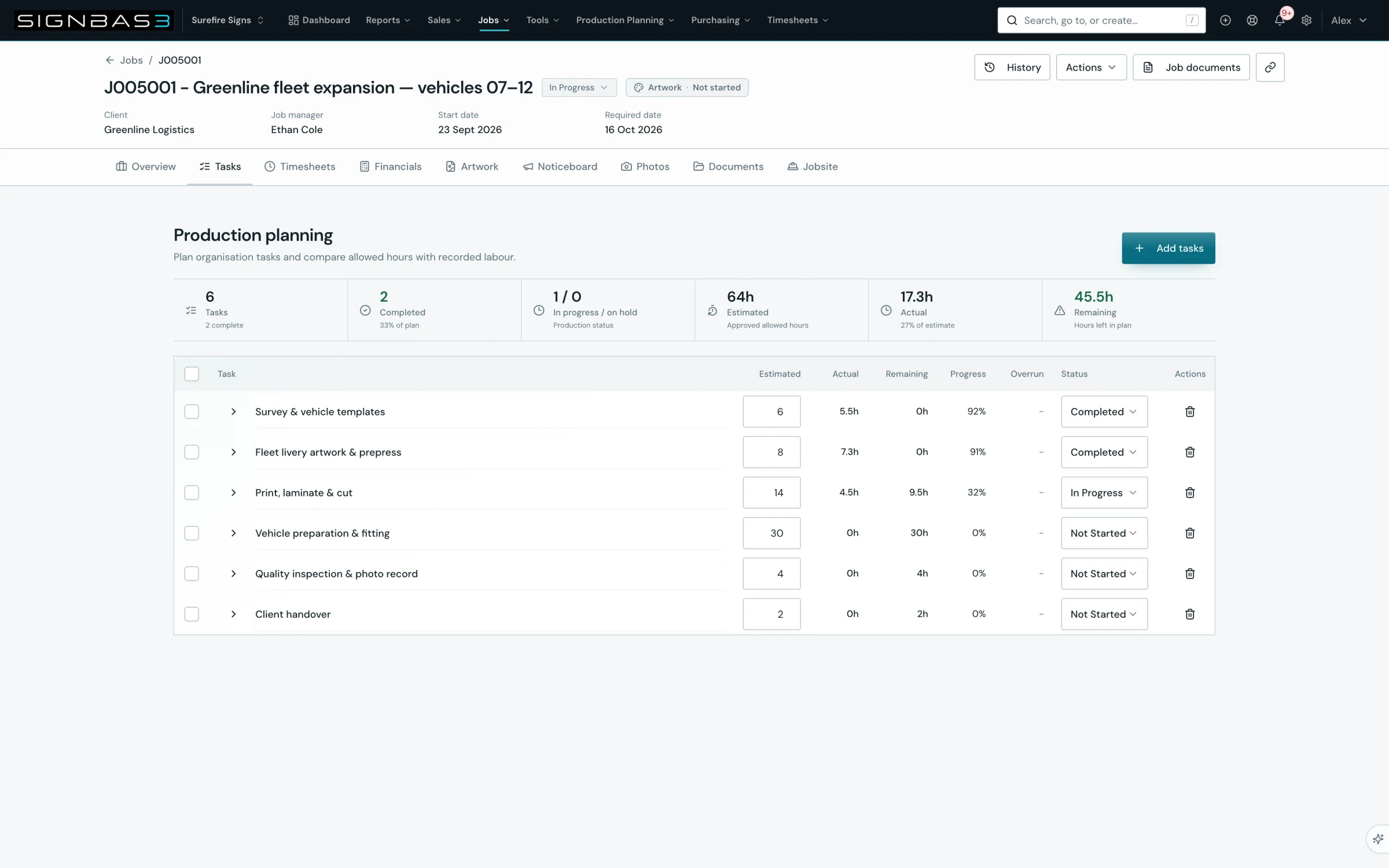
The plan meets the workshop.

Keep each production step, its owner and the allowed hours with the job.

  • Tasks for artwork, print, fabrication and fitting
  • Estimated hours against recorded labour
  • Progress and remaining work at a glance
Explore production tasks
Surefire Signs fleet job showing six production tasks and recorded labour
Surefire Signs / SignBas3View full screen

SB3 / 04

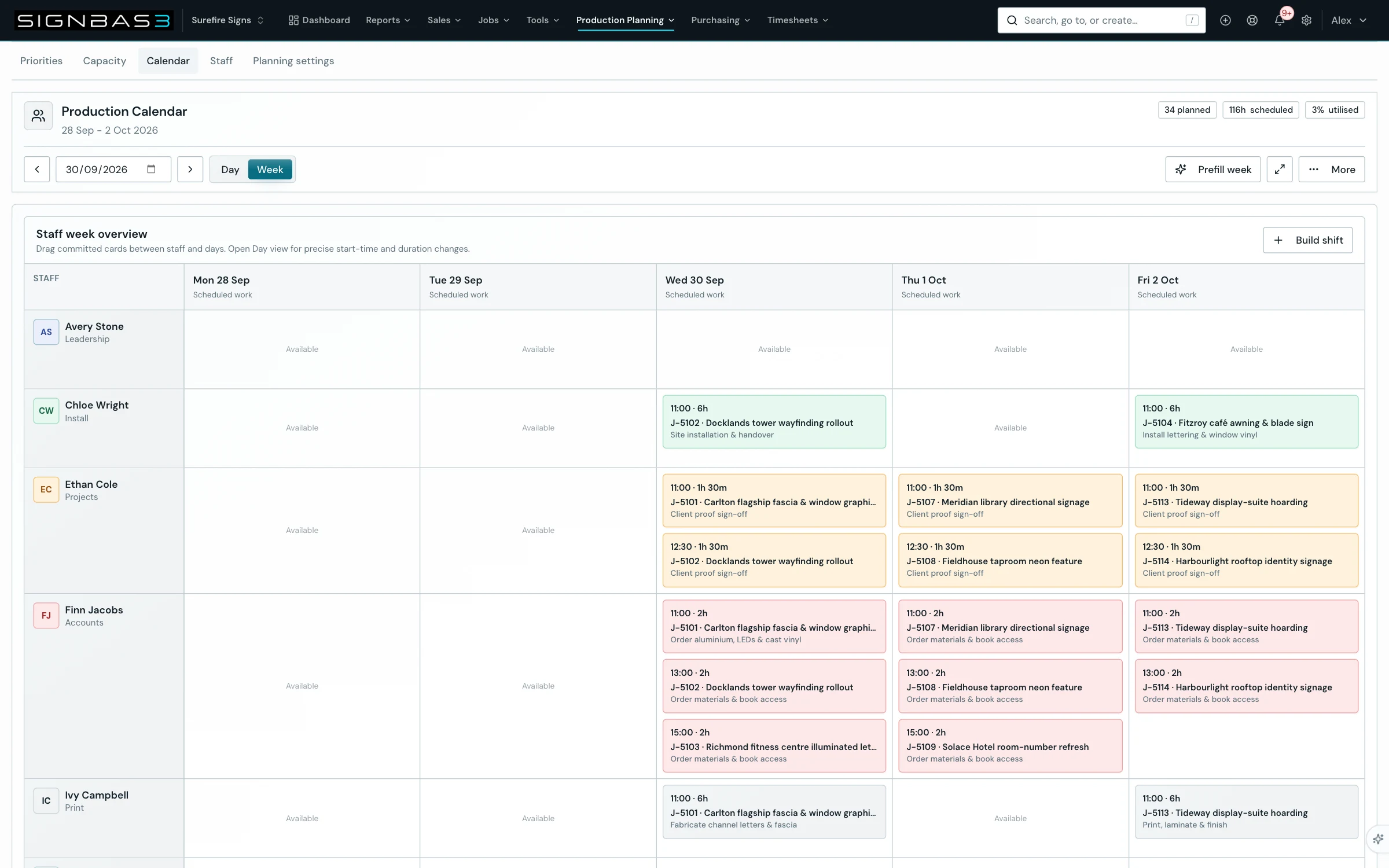
Promise dates you can deliver.

Plan the work against your team’s time and production capacity.

  • Staff scheduling and task dependencies
  • Department capacity and workload
  • Purchasing, receiving and suppliers
Explore production planning
SignBas3 team scheduler with job tasks allocated across the working week
Surefire Signs / SignBas3View full screen

SB3 / 05

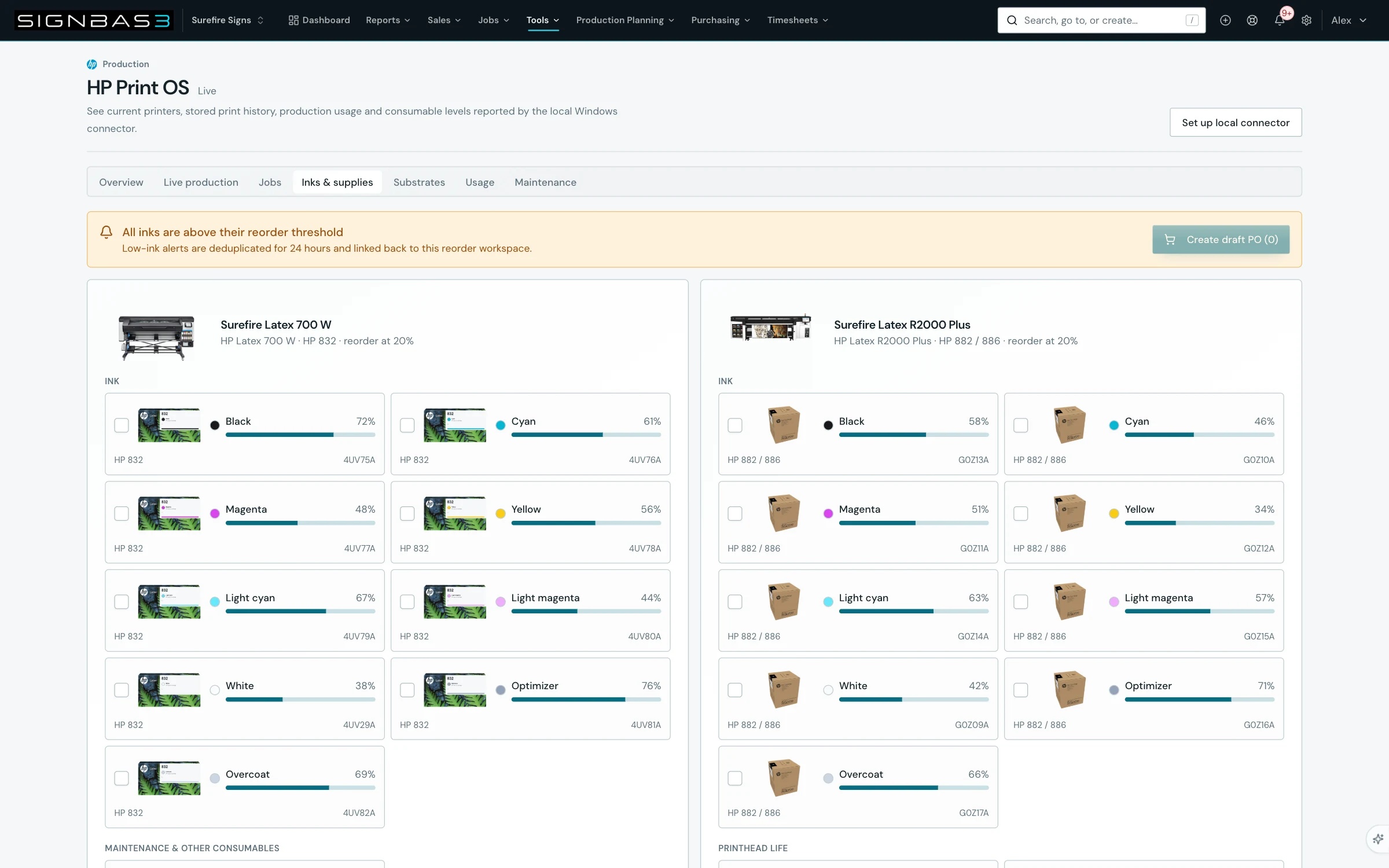
Your printers. Your job costs.

Bring live HP printer activity into the business running the job.

  • Printer status, ink and consumables
  • Printed area and material usage
  • Production costs matched to jobs
Explore HP PrintOS
Surefire Signs HP printer consumables and reorder controls
Surefire Signs / SignBas3View full screen

SB3 / 06

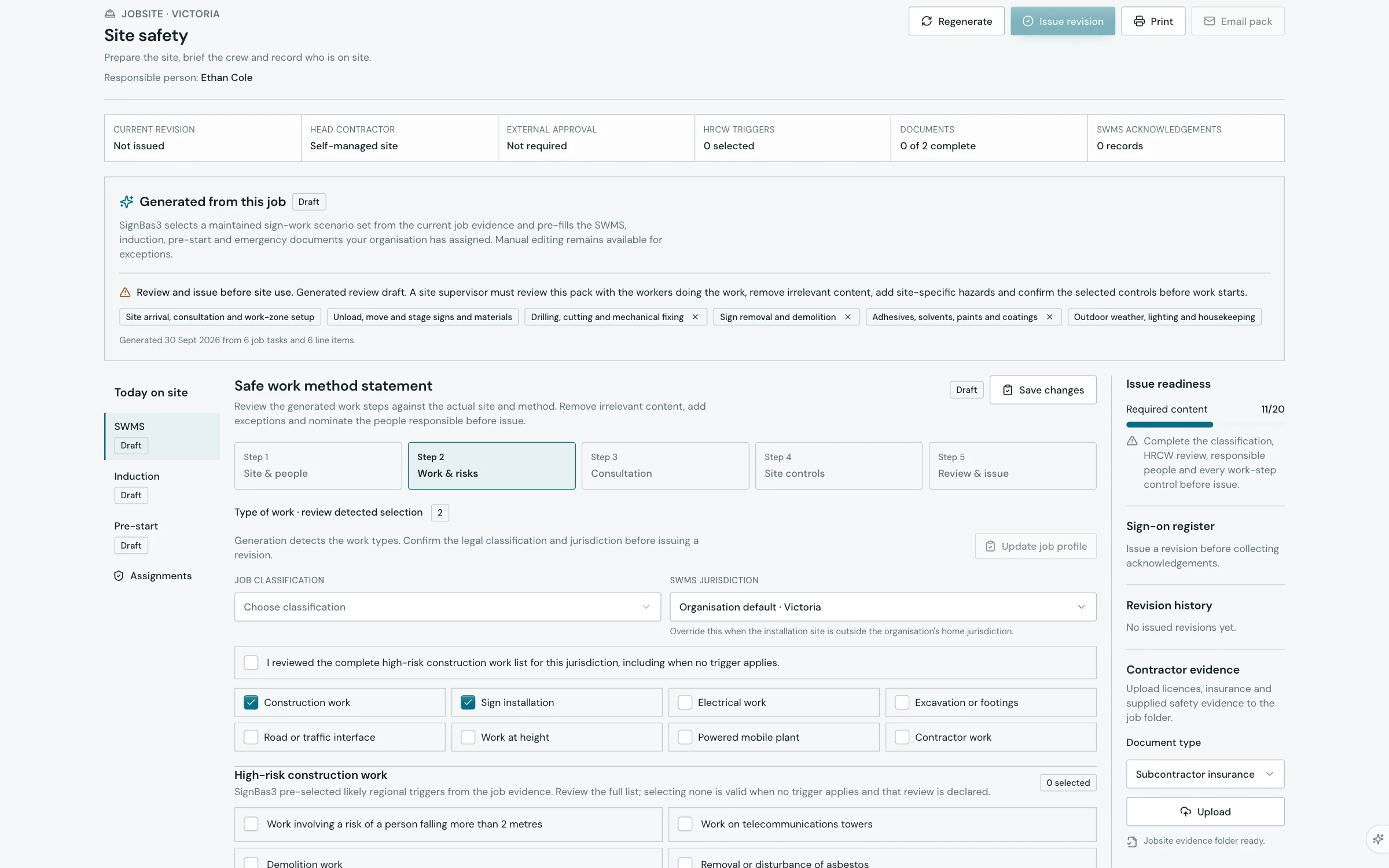
Send the team out prepared.

Keep the site, the job and the people doing the work connected.

  • Job-based safety packs and SWMS review
  • Mobile job information and time entry
  • Site photos and completion records
Explore field work
Surefire Signs site safety pack with SWMS, induction and pre-start drafts
Surefire Signs / SignBas3View full screen

SB3 / 07

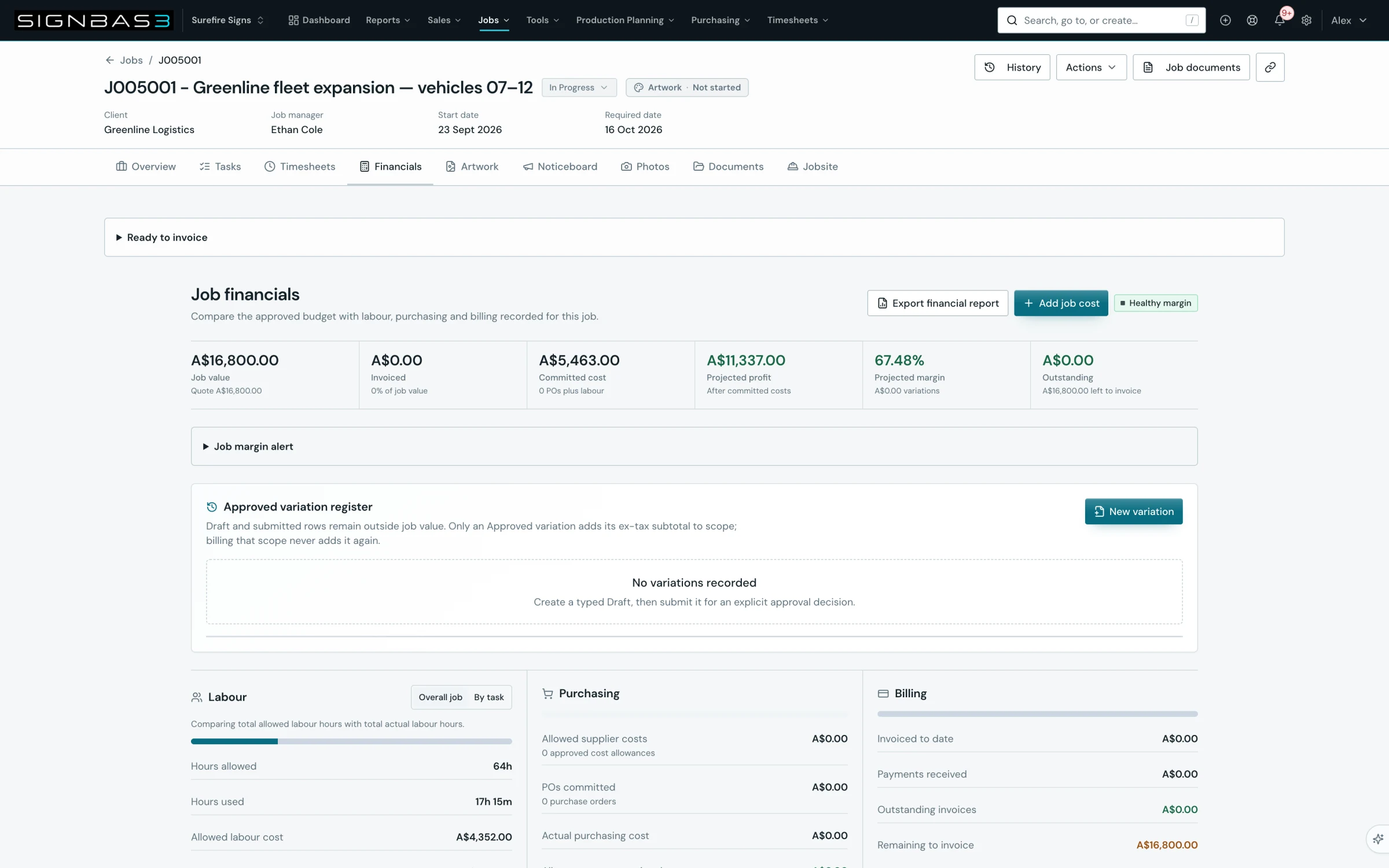
See the numbers while you can act.

Read revenue, purchasing, materials and recorded labour against the same job.

  • Live job financials and profitability
  • Timesheet review and payroll preparation
  • Invoices, reporting and accounting
Explore job financials
Surefire Signs fleet job financials with accepted value, recorded labour and material costs
Surefire Signs / SignBas3View full screen

YOUR CUSTOMER IS PART OF THE WORKFLOW

Get the go-ahead.
Keep it with the job.

Agree the price. Approve the artwork.
Two clear decisions before the work gets made.

Online quote approval

Make it easy to say yes.

Your customer reviews the scope and price, then accepts online. The decision stays with the quote.

  1. Send the quote

    One link to the priced scope, totals and terms.

  2. Accept online

    The customer adds their name and optional notes.

  3. Start the job

    Convert the accepted quote with its agreed scope.

Customer name · acceptance date · notes

See online quote approval

Artwork approval

Make the version they approved.

Let your customer review the proof, mark changes and approve the exact version your team will make.

  1. Share the proof

    Open the current PDF proof in the browser.

  2. Review & revise

    Mark up the artwork, request changes and review the revision.

  3. Approve the version

    Keep the approved proof attached to the production job.

Proof version · customer decision · date

See artwork approval

BUILT INTO THE WORK

The details that
make it work.

Illuminated pylon and building signage at dusk
From workshop to site.
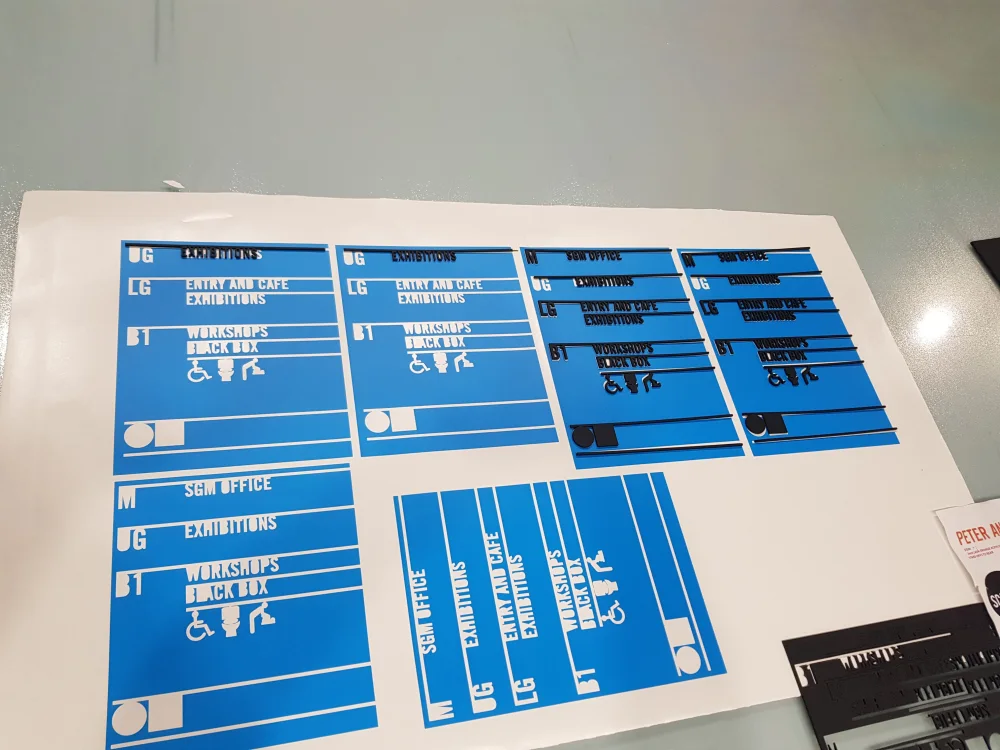
Wayfinding lettering being prepared in a signage workshop

CONNECTED TO YOUR TOOLS

Keep the tools
you count on.

Accounting

Invoices, bills and payments connected to operations.

Xero MYOB QuickBooks

Job files

Artwork and documents stay with the job.

Moving from WorkflowMax?

FROM QUOTE TO COMPLETION

Different jobs.
One way to stay in control.

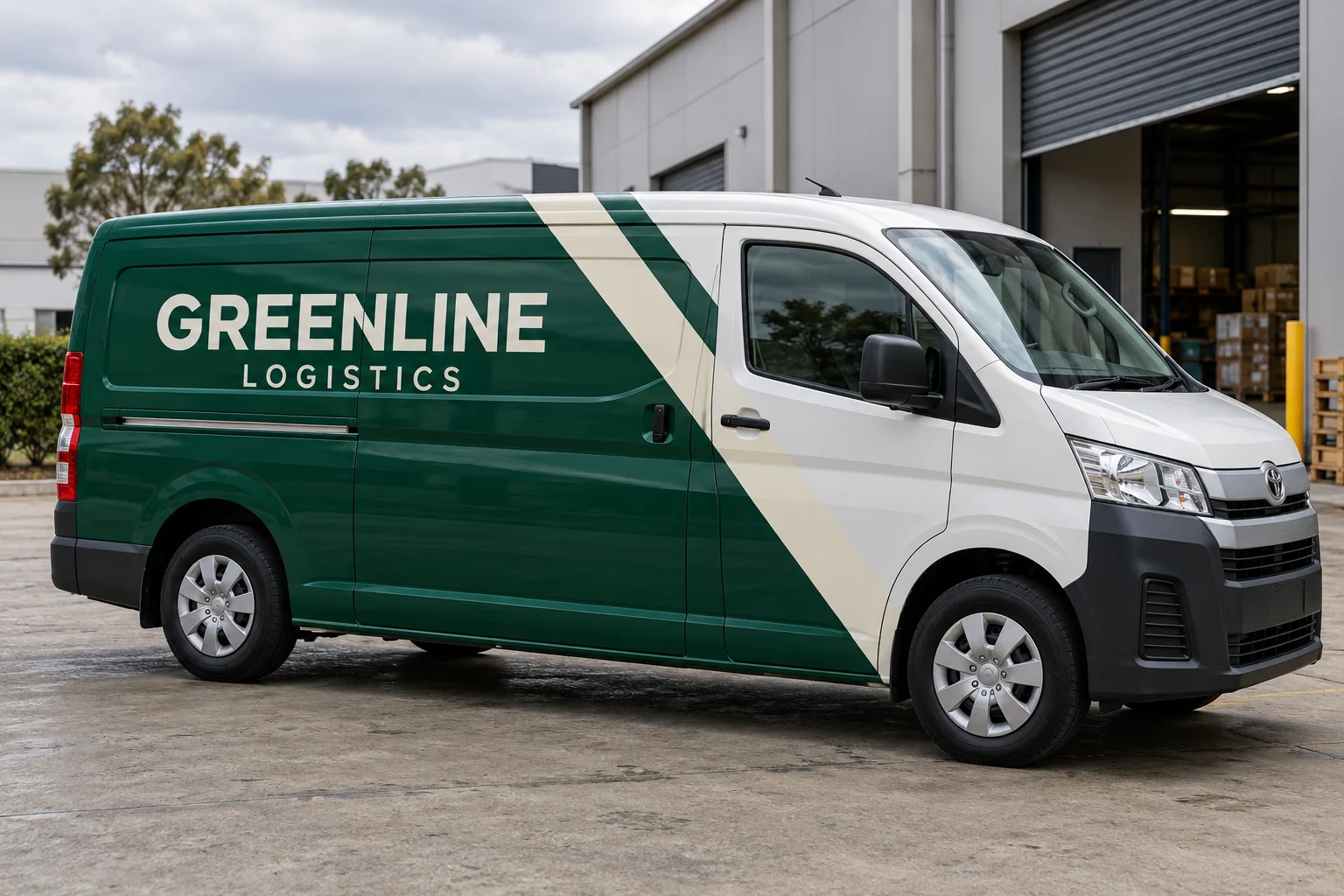
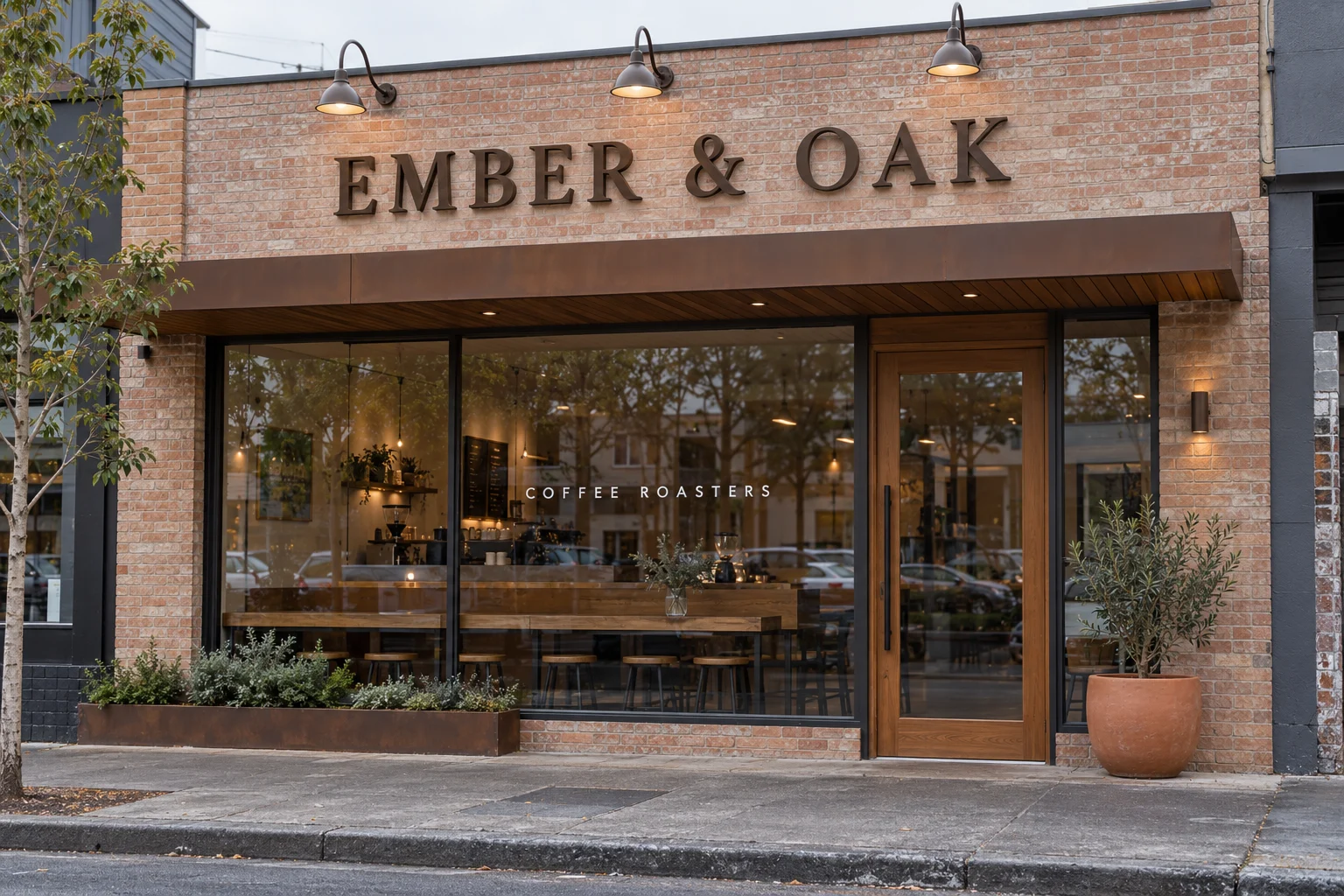
A six-vehicle fleet rollout. A café opening next week. Keep the detail of each job connected to the bigger picture.

Greenline Logistics fleet wrap concept
GREENLINE LOGISTICS / J005001

One identity. Six vehicles.

Artwork, print, lamination and fitting—with the crew and costs attached.

Ember and Oak shopfront signage concept
EMBER & OAK / J-5104

From drawing to opening day.

Dimensional letters, window graphics and a planned site installation.

PUT YOUR NEXT JOB THROUGH IT

See what a connected
sign business looks like.

Start your 14-day trial Plans and pricing

A few practical questions.

What is sign shop management software and what does it manage?

Sign shop software connects the commercial and production workflow around each job, including enquiries, estimates, artwork approvals, tasks, scheduling, purchasing, installation, labour, invoicing and reporting.

Is SignBas3 built specifically for sign companies?

Yes. SignBas3 is built around sign manufacturing, wide-format print, vehicle wrap and installation workflows rather than generic project management.

Does SignBas3 replace accounting software?

SignBas3 manages sign-business operations and connects with Xero, MYOB and QuickBooks for accounting. Google Drive and Dropbox keep job files connected to the work.

Can SignBas3 manage artwork, production and installation together?

Yes. The accepted scope, proof versions, production tasks, purchases, schedule, site information and completion evidence stay connected to the same sign job.

Can a sign company move from WorkflowMax to SignBas3?

SignBas3 provides a guided WorkflowMax migration path covering source preparation, user and status mapping, master tasks, imported records and representative reconciliation before the team relies on the result.

How should a sign shop compare management software?

Put one representative job through quoting, artwork, production, purchasing, installation, job costing and accounting. Choose the system that preserves the accepted scope and operational evidence through every handover.


Inside SignBas3