Sign shop management software

Quote smarter.
Create with AI.
Run a better
sign shop.

AI quoting and artwork. Connected printers. A plan for the workshop and the crew. Meet the software built around the work you make.

14 days on Production with Fitch Assist. No credit card required.

FROM THE FIRST ENQUIRYTO THE JOB’S NUMBERS ↗
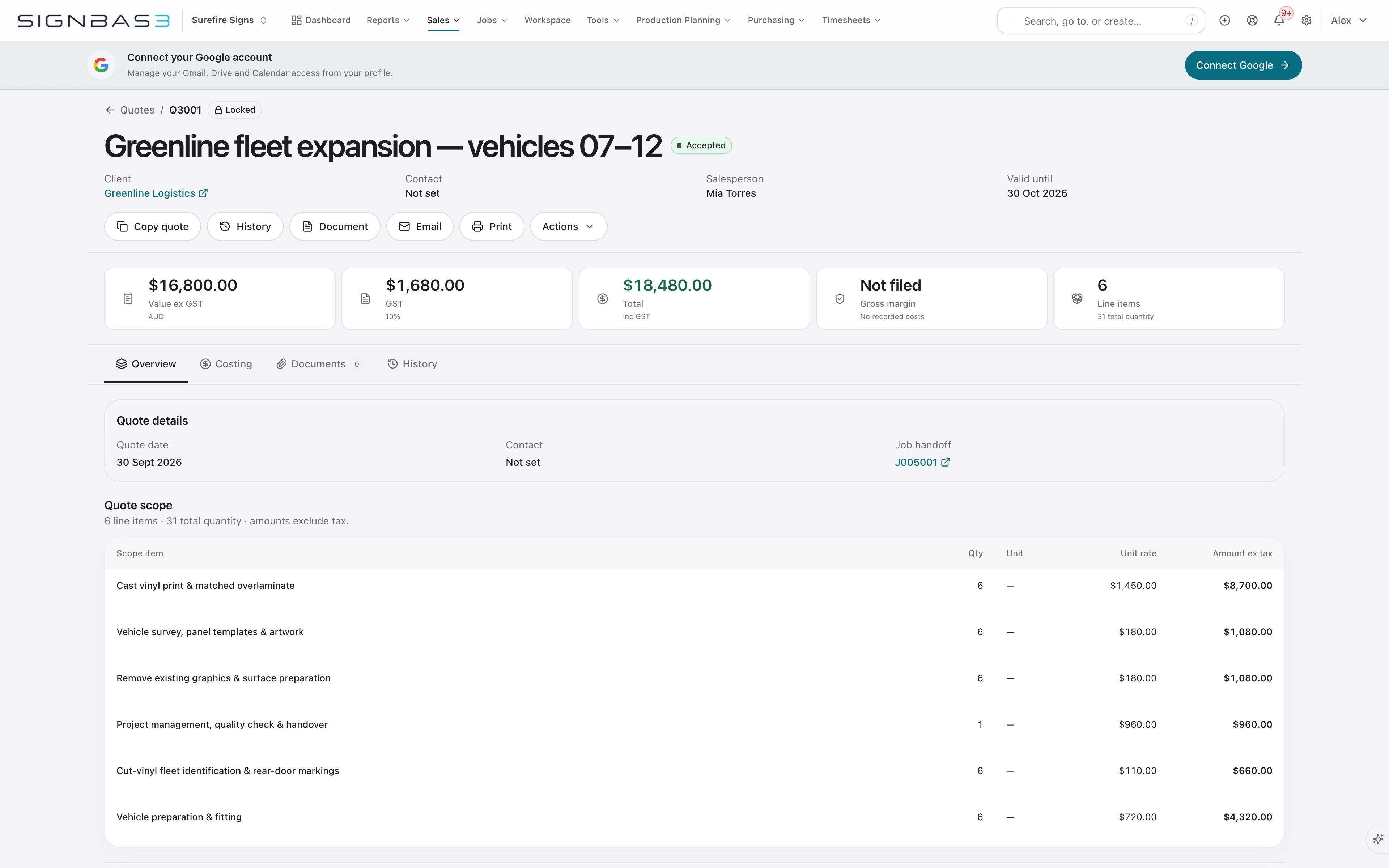
SignBas3 quoting · Scope, line items and pricing in one place.
SignBas3 quoting · Scope, line items and pricing in one place.View full screen ↗
Built for signage, print, wraps and installation.One connected job.

MORE THAN A PLACE TO KEEP JOBS

Tools that do more
of the heavy lifting.

From the first idea to the final install, give every part of your sign business a better way to work.

01 / AI quoting

The enquiry comes in.
Your quote takes shape.

Bring the enquiry, drawings and job details to Fitch. Build the scope, work through materials and labour, and review the pricing with the source information beside you.

  • Turn the brief into structured quote items
  • Work through quantities, rates and exclusions
  • Review the scope and price before sending
Explore AI quoting ↗
Review the scope, line items and price in SignBas3.
Review the scope, line items and price in SignBas3.View full screen ↗

Microsoft Excel Already have an estimating workbook? Bring it into the quote ↗

02 / AI artwork

Make the idea
something they can see.

Develop signage concepts with Fitch. Bring your site photo, brand assets, copy and dimensions together, then explore a photo montage or prepare a dimensioned draft proof.

  • Explore signage on a supplied site photo
  • Keep brand references and copy with the brief
  • Refine the concept before artwork approval
Explore AI artwork ↗
Illustrative Banksia Café signage concept: forest-green fascia, ivory dimensional letters, projecting blade sign and coordinated window graphics
Banksia Café · Illustrative signage conceptExplore the concept ↗
See the current Fitch workspace ↗
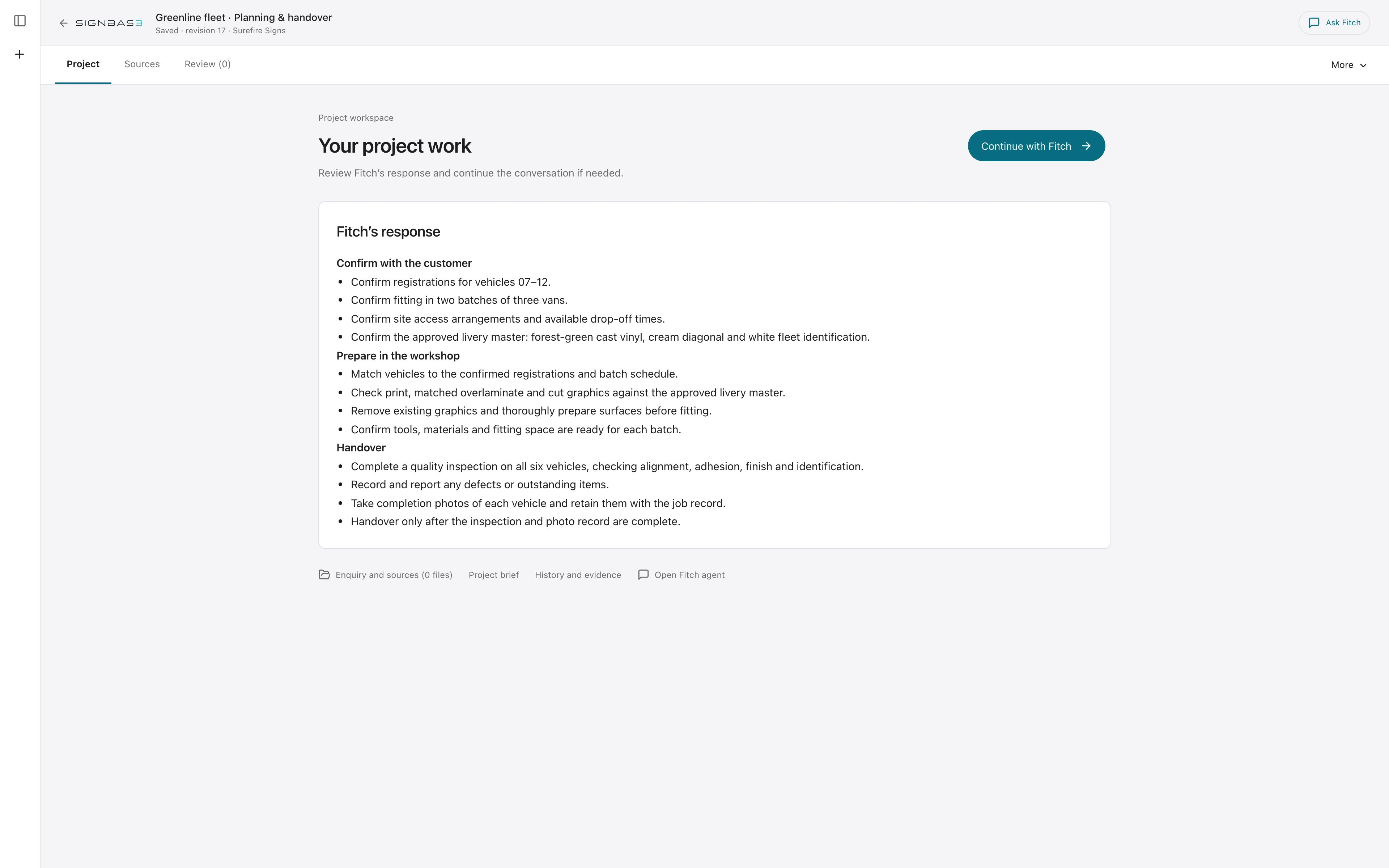
Fitch workspace · Keep the brief, source material and project work together.
Fitch workspace · Keep the brief, source material and project work together.View full screen ↗

03 / HP printer monitoring

Your printers. Your ink.
Your actual job costs.

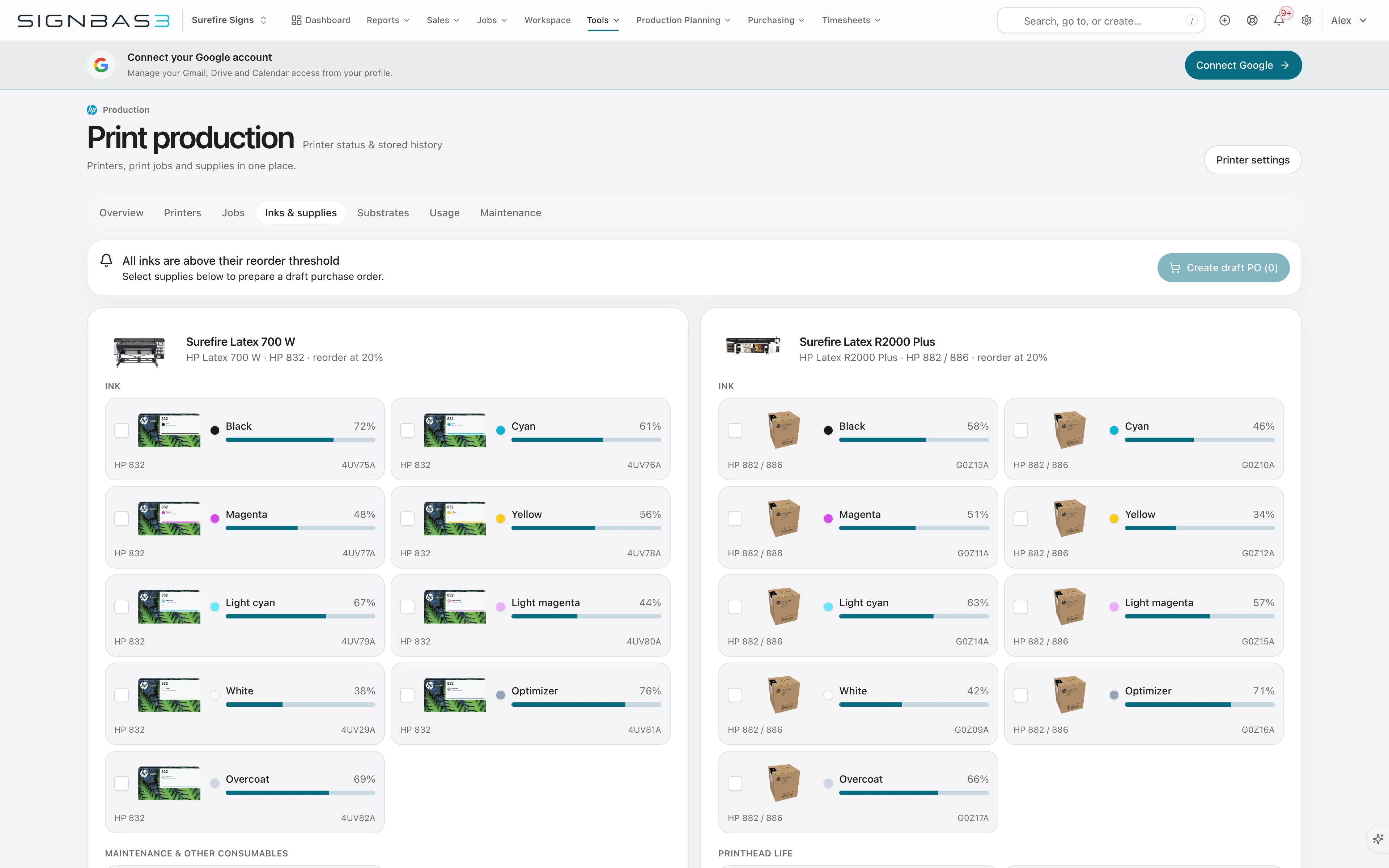
See HP Latex printer activity and consumables in SignBas3. Match print files to jobs, bring substrate and ink costs into the numbers, and prepare replenishment before supplies run low.

  • See printer activity and ink levels
  • Connect print usage and cost to the job
  • Turn selected low supplies into a draft purchase order
Explore HP printer monitoring ↗HP
HP production · Printer status, consumables and replenishment.
HP production · Printer status, consumables and replenishment.View full screen ↗

04 / Production planning

Know what fits.
Before you promise it.

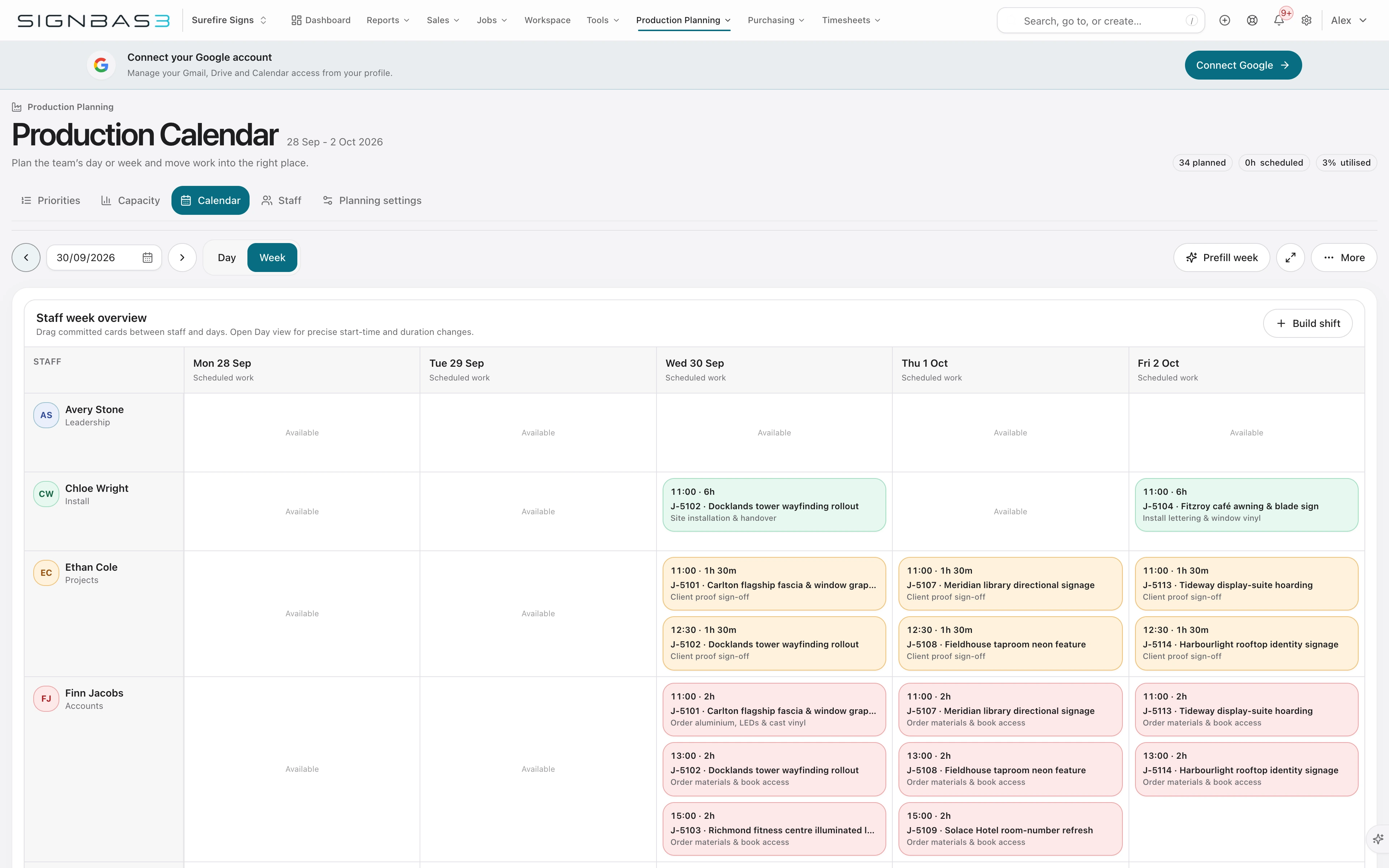
Put the work, people and available hours in one view. See the load across your departments, plan production and installation, and ask Fitch to prepare a schedule for review.

  • Plan around staff capability and existing bookings
  • See scheduled work, forecast load and available capacity
  • Review proposed allocations and work still to place
Explore Production planning ↗
Production planning · Named people, real tasks and customer commitments.
Production planning · Named people, real tasks and customer commitments.View full screen ↗

05 / SignBas3 Field

From the office.
To the workshop. To site.

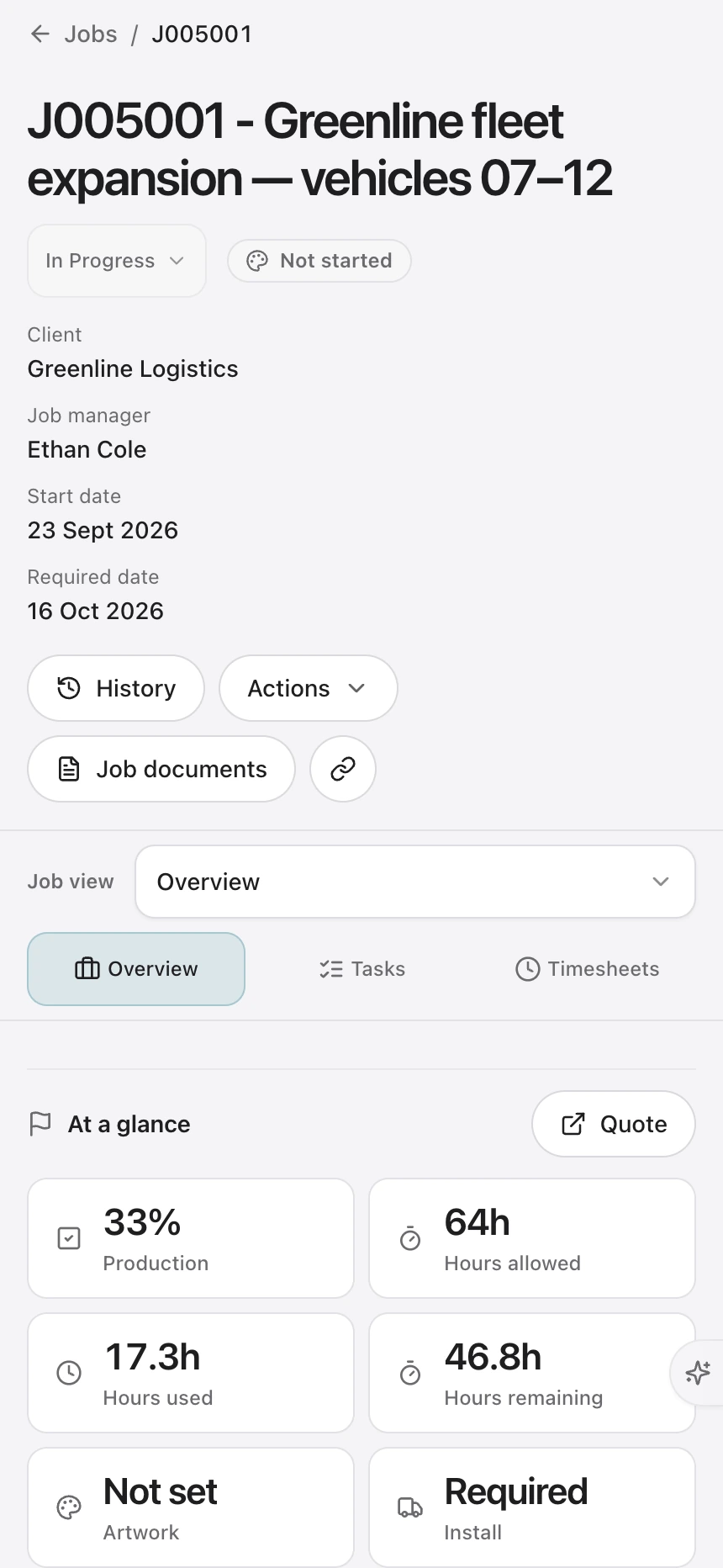
Give your crew the job details they need on iOS and Android. Assigned work, site information, photos, safety documents and personal time stay connected to the office.

  • Open assigned work and site details
  • Capture photos against the right job
  • Record personal time, with offline drafts
Explore SignBas3 Field ↗Get the iOS or Android app ↗
Mobile web · Current job details and production progress.
Mobile web · Current job details and production progress.View full screen ↗

06 / Job profitability

The job is moving.
How is the margin?

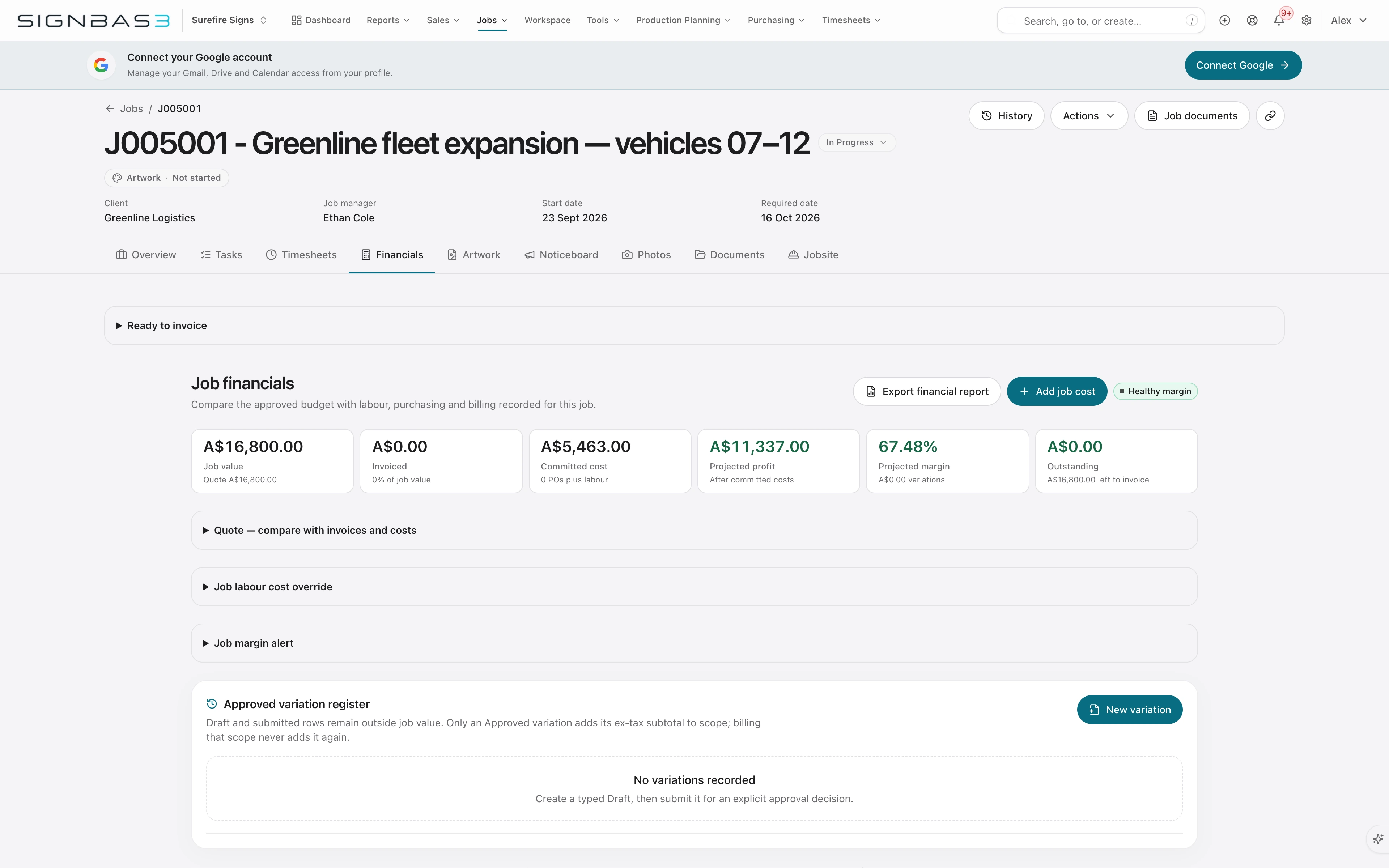
Compare what you allowed with what the work is costing. Bring accepted value, committed purchases, actual labour and materials, projected margin and invoicing into one job view.

  • Compare estimated and actual costs
  • See commitments alongside recorded spend
  • Check projected margin and what remains to invoice
Explore Job profitability ↗
Job financials · Accepted value, actual cost and projected margin.
Job financials · Accepted value, actual cost and projected margin.View full screen ↗

POWERFUL ON THEIR OWN. BETTER TOGETHER.

One job.
All the way through.

The accepted scope, approved artwork, production plan, field work and financial result stay together as the job changes hands.

Explore the connected job ↗
  1. 01

    Quote

    Agree the scope and price.

  2. 02

    Approve

    Keep the exact proof and decision.

  3. 03

    Make

    Plan the people, work and materials.

  4. 04

    Install

    Give the crew the details. Bring back the evidence.

  5. 05

    Review

    See the cost, margin and invoicing.

YOUR CUSTOMER IS PART OF THE WORKFLOW

Get the go-ahead.
Keep it with the job.

Agree the price. Approve the artwork.
Two clear decisions before the work gets made.

Online quote approval

Make it easy to say yes.

Your customer reviews the scope and price, then accepts online. The decision stays with the quote.

  1. Send the quote

    One link to the priced scope, totals and terms.

  2. Accept online

    The customer adds their name and optional notes.

  3. Start the job

    Convert the accepted quote with its agreed scope.

Customer name · acceptance date · notes

See online quote approval
Artwork approval

Make the version they approved.

Let your customer review the proof, mark changes and approve the exact version your team will make.

  1. Share the proof

    Open the current PDF proof in the browser.

  2. Review & revise

    Mark up the artwork, request changes and review the revision.

  3. Approve the version

    Keep the approved proof attached to the production job.

Proof version · customer decision · date

See artwork approval

THE DETAILS MAKE THE DIFFERENCE

Made for the way
sign shops work.

CONNECTED TO YOUR TOOLS

Keep the tools you count on.

Connect the accounts and files your team already uses to the work in SignBas3.

Accounting

Invoices, bills and payments connected to operations.

Job files

Artwork and documents stay with the job.

Moving from WorkflowMax?

GET YOUR TEAM INTO THE FLOW

A new system.
A clear way in.

Practical guidance for the people who quote, make, install and manage the work.

01 / LEARN

SignBas3 Academy

Follow a learning path for your role, at your pace.

Explore the Academy ↗
02 / FIND AN ANSWER

The Help Centre

Clear steps for setup, migration and day-to-day work.

Browse the guides ↗

MAKE ROOM FOR BETTER WORK

Your next job.
Your new way to work.

Try Production with Fitch Assist free for 14 days. No credit card required.

Plans from A$149.50 per month, excluding GST.

A few practical questions.

What is sign shop management software and what does it manage?

Sign shop software connects the commercial and production workflow around each job, including enquiries, estimates, artwork approvals, tasks, scheduling, purchasing, installation, labour, invoicing and reporting.

Is SignBas3 built specifically for sign companies?

Yes. SignBas3 is built around sign manufacturing, wide-format print, vehicle wrap and installation workflows rather than generic project management.

Does SignBas3 replace accounting software?

SignBas3 manages sign-business operations and connects with Xero and QuickBooks for accounting. MYOB is coming soon. Google Drive and Dropbox keep job files connected to the work.

Can SignBas3 manage artwork, production and installation together?

Yes. The accepted scope, proof versions, production tasks, purchases, schedule, site information and completion evidence stay connected to the same sign job.

Can a sign company move from WorkflowMax to SignBas3?

SignBas3 provides a guided WorkflowMax migration path covering source preparation, user and status mapping, master tasks, imported records and representative reconciliation before the team relies on the result.

How should a sign shop compare management software?

Put one representative job through quoting, artwork, production, purchasing, installation, job costing and accounting. Choose the system that preserves the accepted scope and operational evidence through every handover.

Inside SignBas3