
Close a job and review performance
Reconcile accepted value, variations, labour, purchasing, supplier bills, invoicing and completion evidence before reading the result.
Step by step
- Open the job and confirm tasks, delivery or installation evidence and required documents are complete.
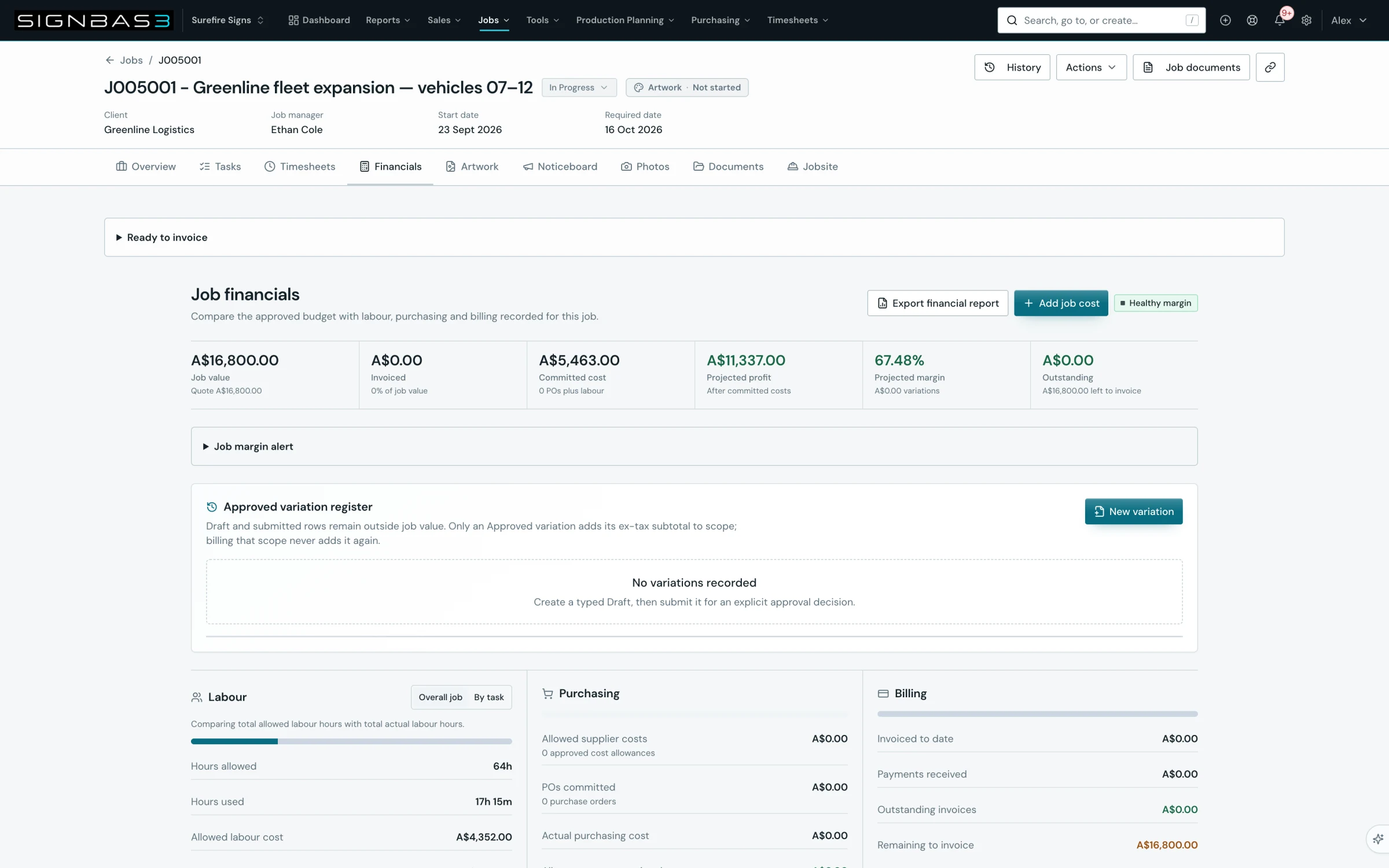
- In Financials, compare the accepted quote value and approved variations with the intended final scope.
- Reconcile timesheets and labour cost, open purchase orders, receipts and supplier bills.
- Reconcile issued invoices, payments, credits and any accounting-sync exceptions.
- Explain material variance using the source records rather than a headline margin alone.
- Move the job to the organisation's intentional completed or closed status and record any follow-up lesson.
- Use the result in reporting, pricing review or production planning without mixing provisional labour or unresolved spend into final confidence.
Good practice
Closing a job is a reconciliation gate, not a date change. Keep provisional labour, unbilled supplier cost and unresolved variation value visibly separate from the final result.
Before you begin
- Operational work is complete or every remaining item is explicitly known.
- Accounts and production can reconcile their source records.
Complete workflow
How the workflow moves
- 01Complete
Finish tasks, field evidence and delivery obligations.
- 02Reconcile
Check labour, purchases, receipts, bills, invoices and credits.
- 03Explain
Compare accepted value with actual performance and identify causes.
- 04Close and learn
Set the intentional final state and carry the evidence into reporting.
Screen reference
What you will see
If your workspace behaves differently, record the relevant job, client or record number and raise a support ticket so the team can investigate the exact context.